I led UX for a new developer-facing data hub that surfaces installation and user insights in the developer dashboard - built in response to high-volume demand.
The work required defining the information architecture for complex server-side data from scratch, collaborating closely with backend engineers and documentation writers to determine what could realistically be surfaced through the API.
What I Did
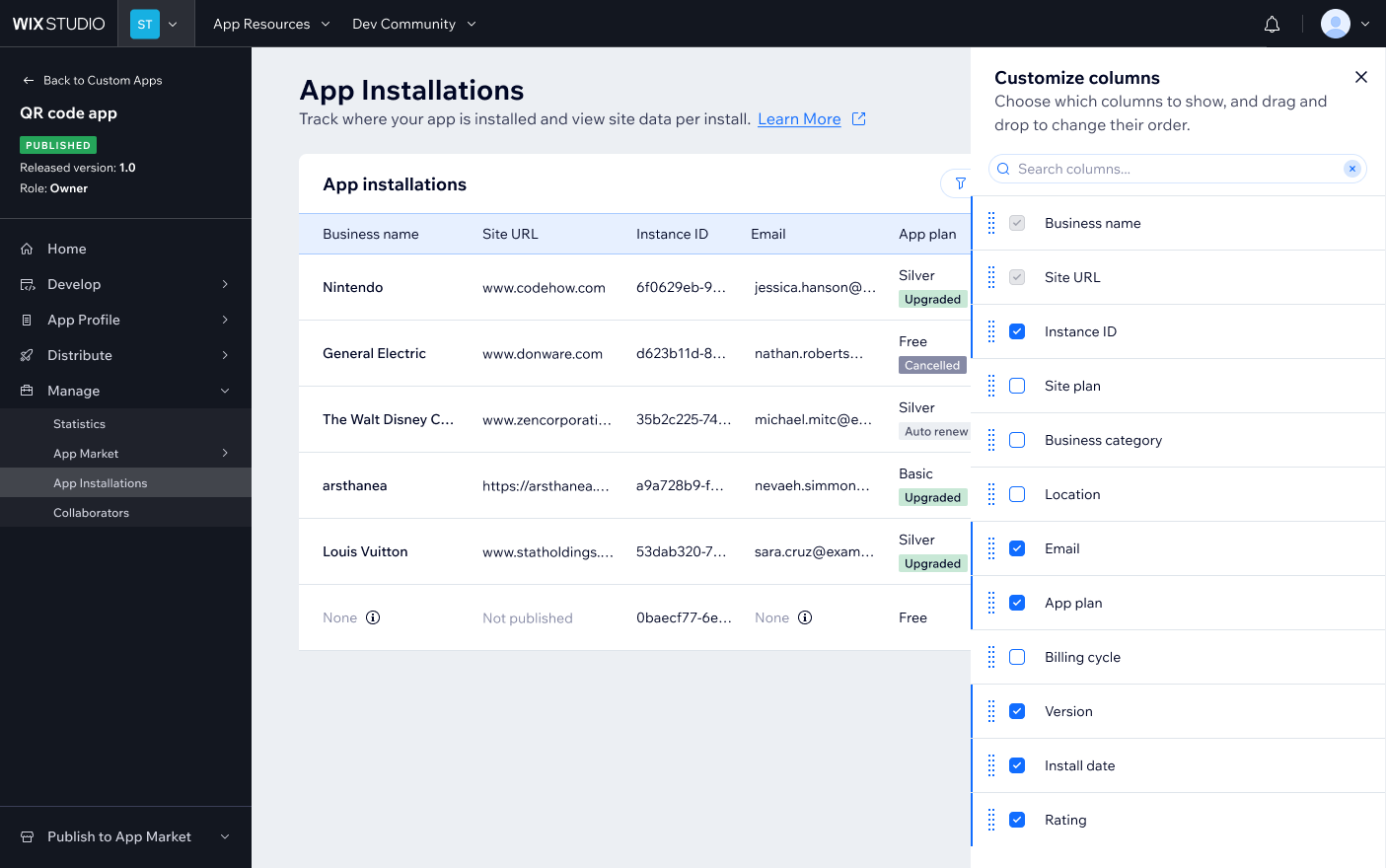
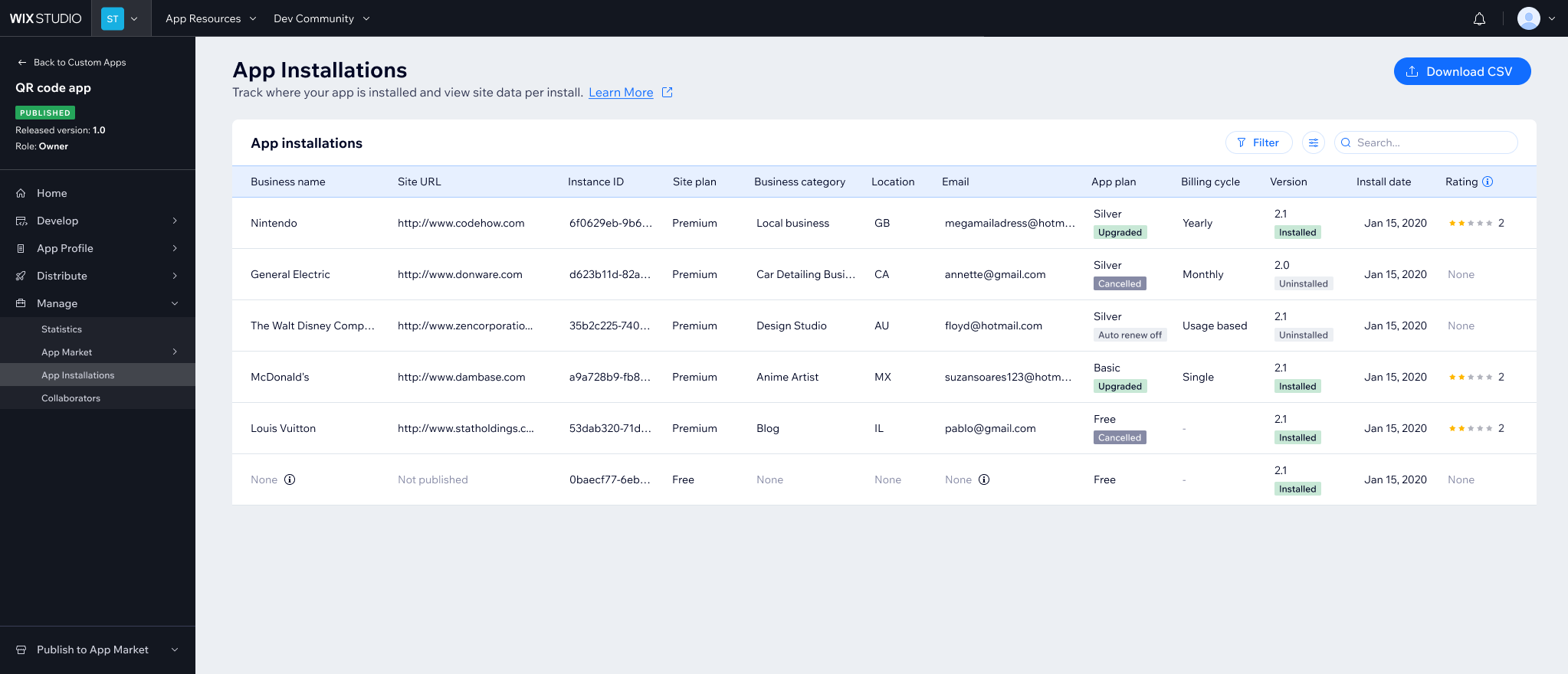
- Defined the information architecture for complex server-side data
- Partnered with backend engineers and documentation writers to align on APIs and data exposure
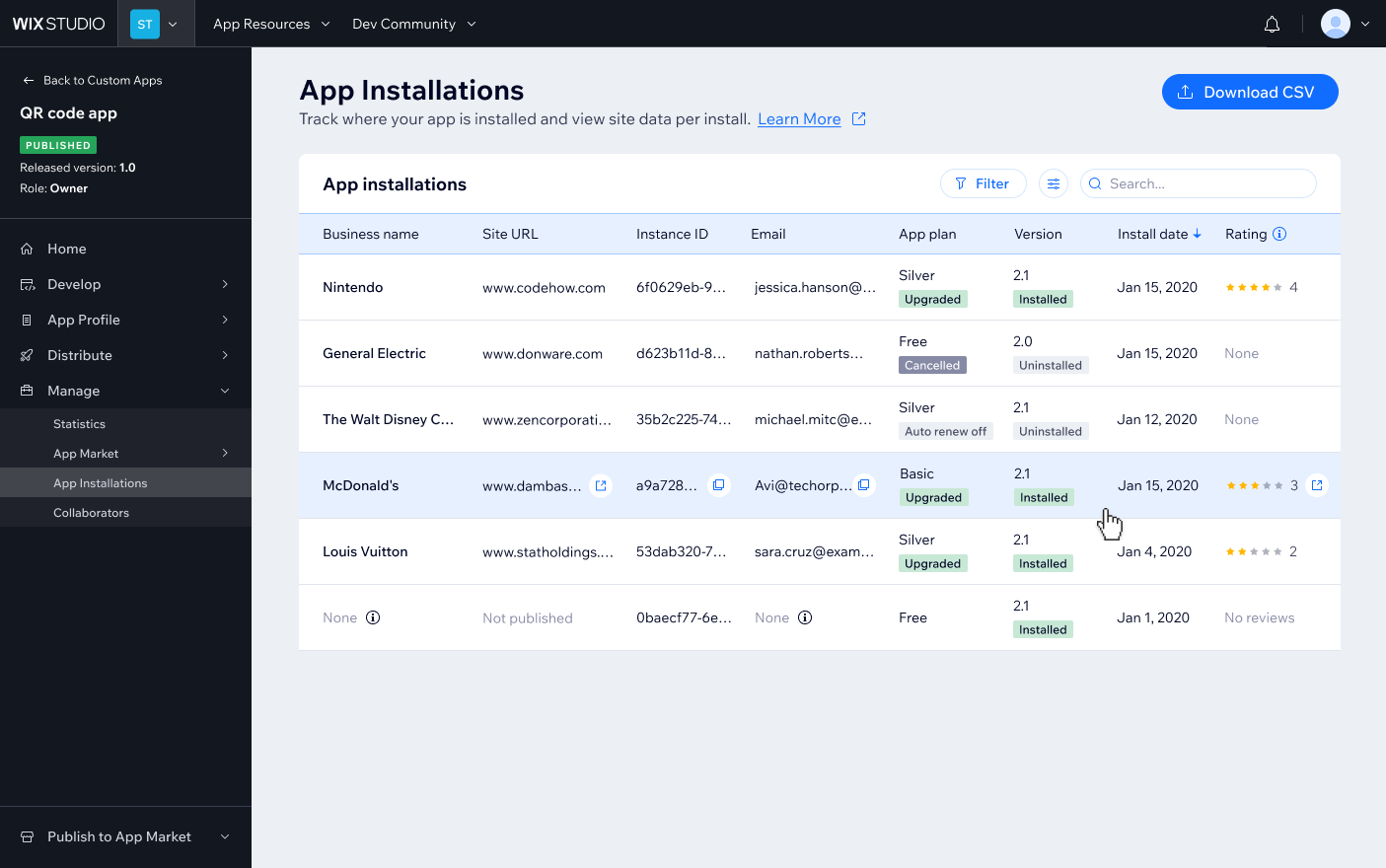
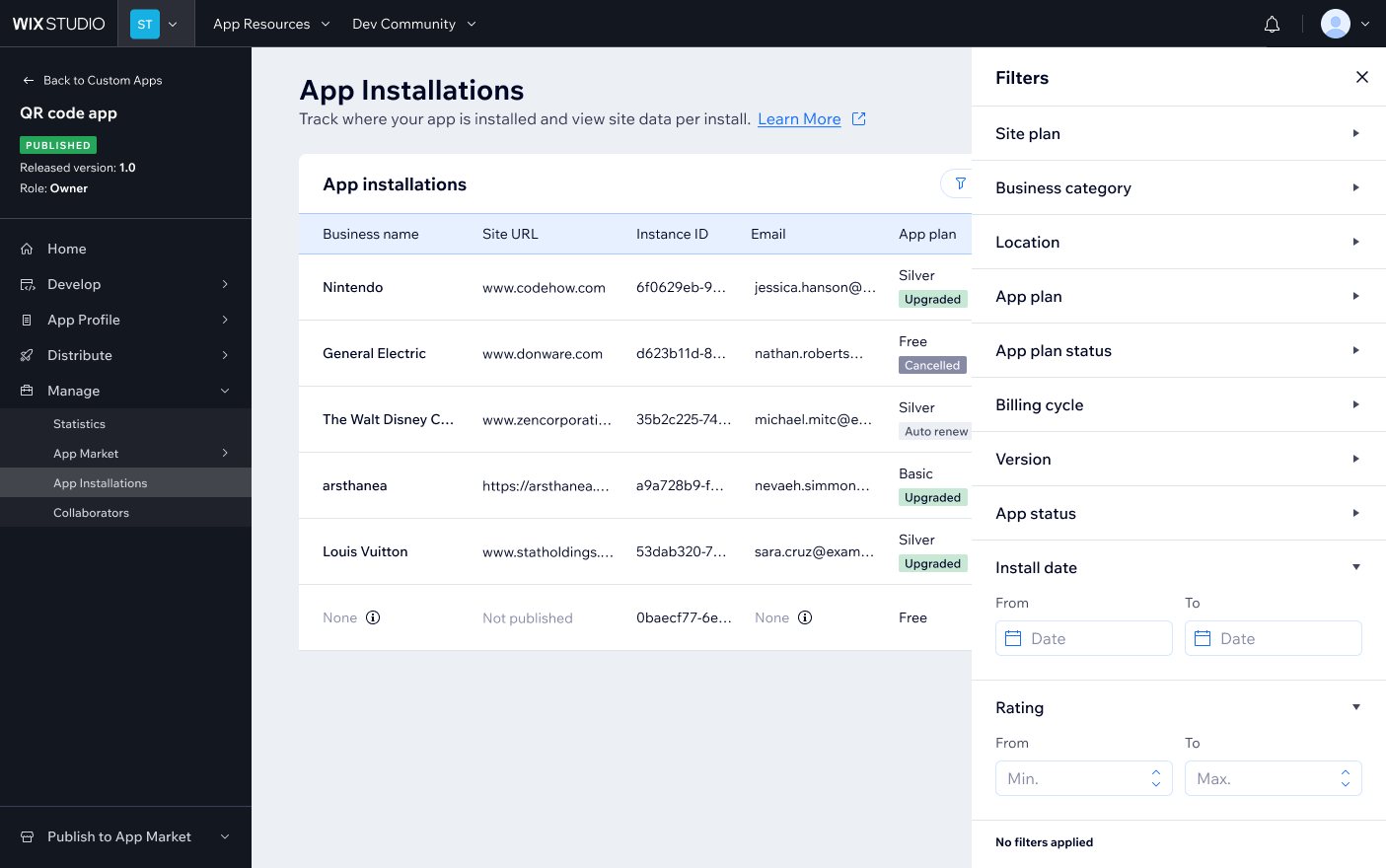
- Designed a scannable, action-oriented table letting developers view, copy, and act on installation data
- Assisted the developer team in implementing this page - using Cursor and then Claude Code
Impact
- Since opening to all developers, the majority of those who visited the Wix Developer Center and had published apps discovered the table.
- Of those who saw it, the majority took actions: applying filters, copying data, and using search.
- Developer feedback: "We already had some email sequences hooked on webhooks, but this enables us to manually try to follow up with some users. Especially for the non-technical team members.", "Very good feature overall - thank you!”
Bottom line
The hardest part wasn't designing the table - it was figuring out what data could realistically be surfaced through the API and making it genuinely useful for developers with very different technical needs. A feature like this lives or dies on the structure: get the columns and filters wrong, and it's noise; get them right, and it becomes part of how developers run their business.