August 2021
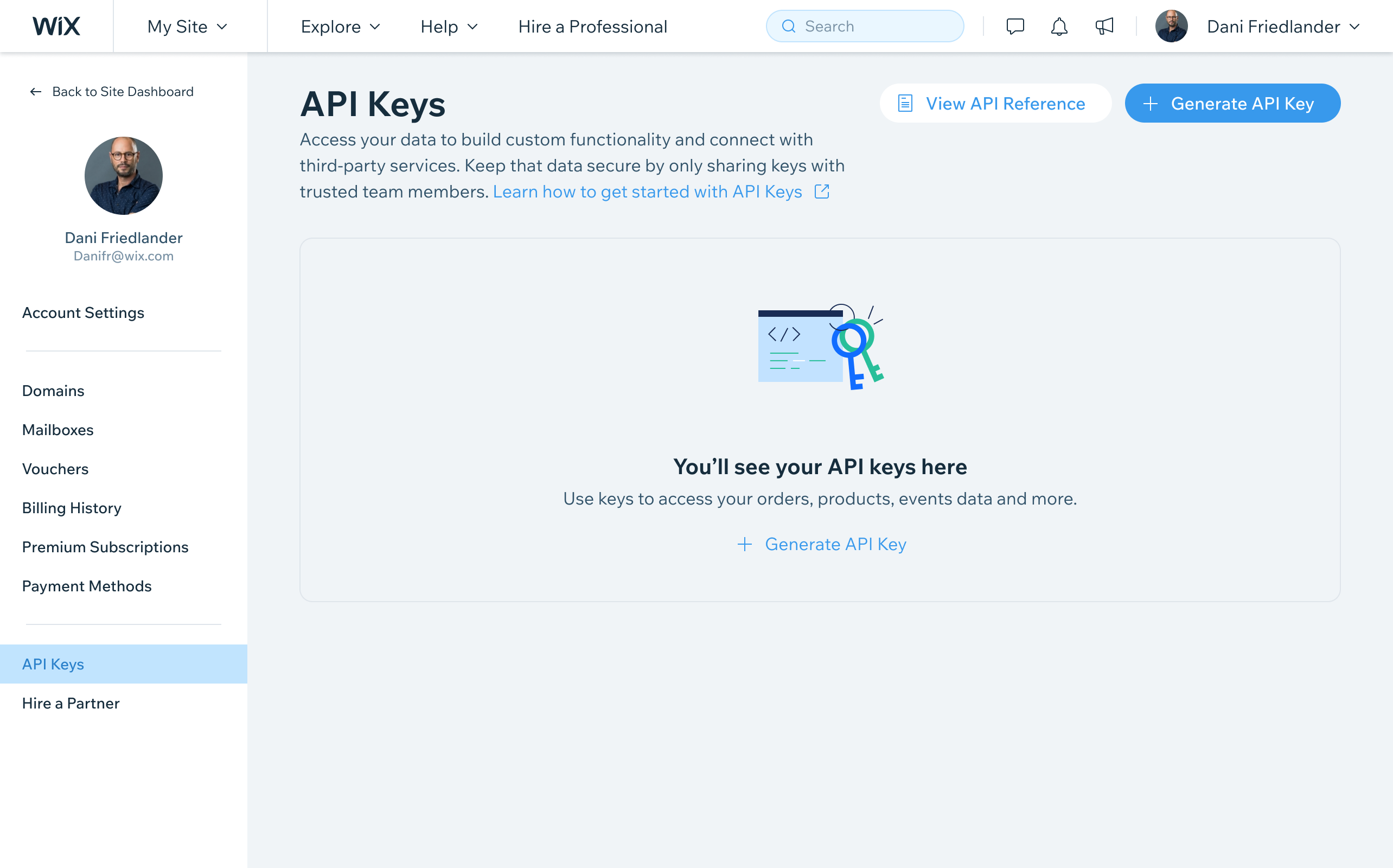
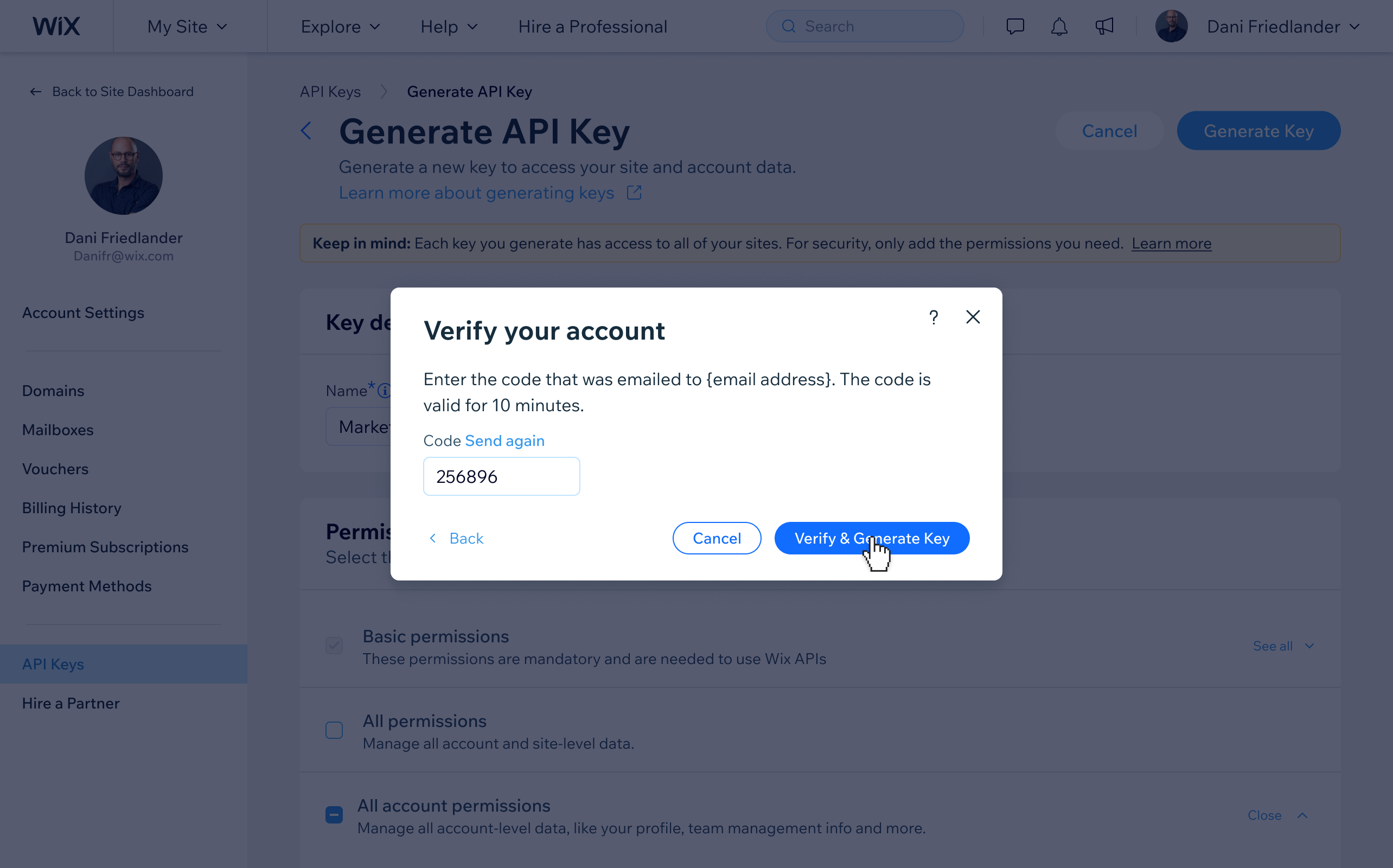
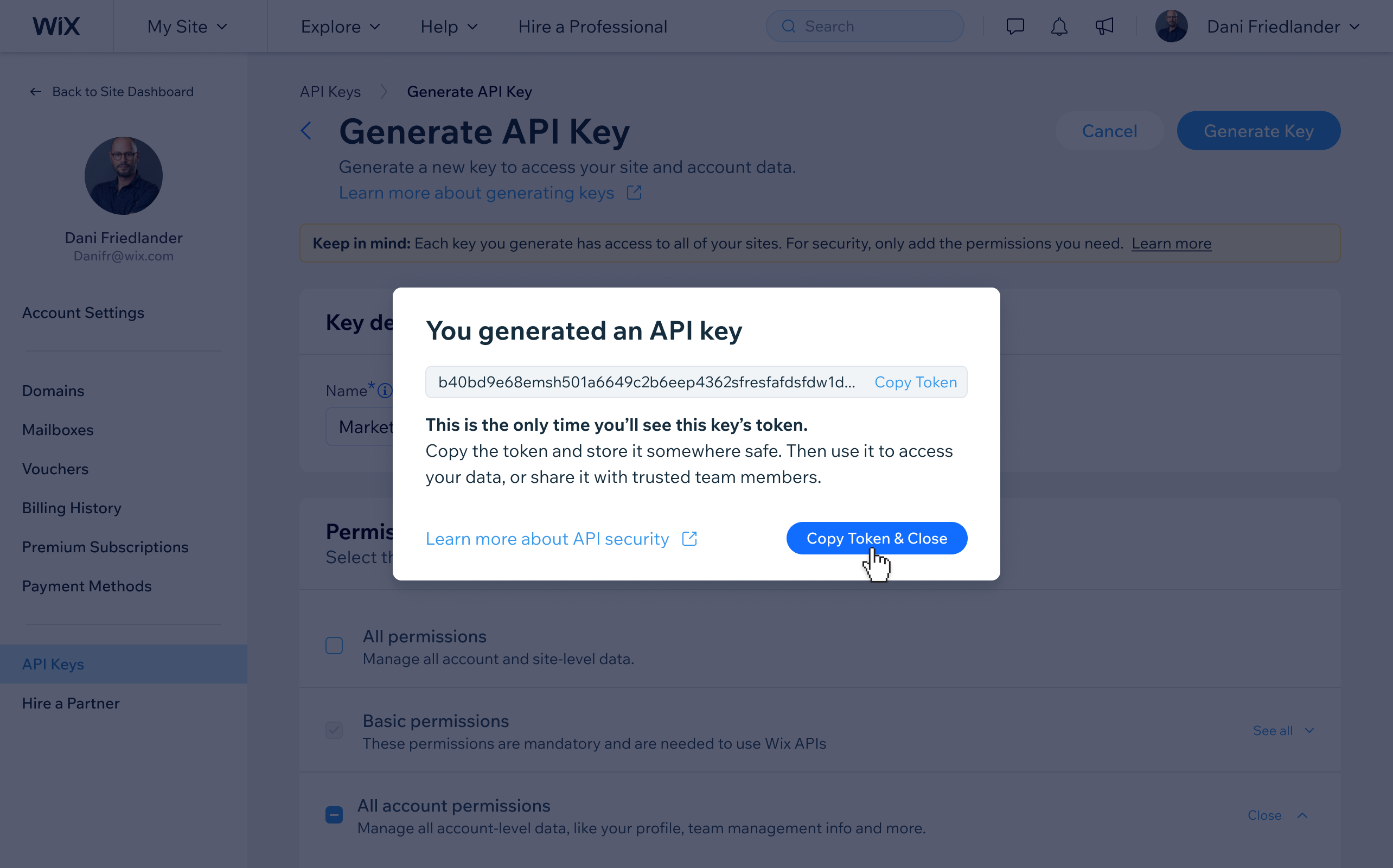
API Keys are a critical part of Wix’s platform strategy - enabling developers and third-party integrations to securely authenticate against Wix’s APIs. I designed the end-to-end UX for the API Keys management page, covering key generation, granular permission configuration, account verification, and ongoing key management. The core security constraint shaped the entire design: each key is visible only once at generation and can never be retrieved again.
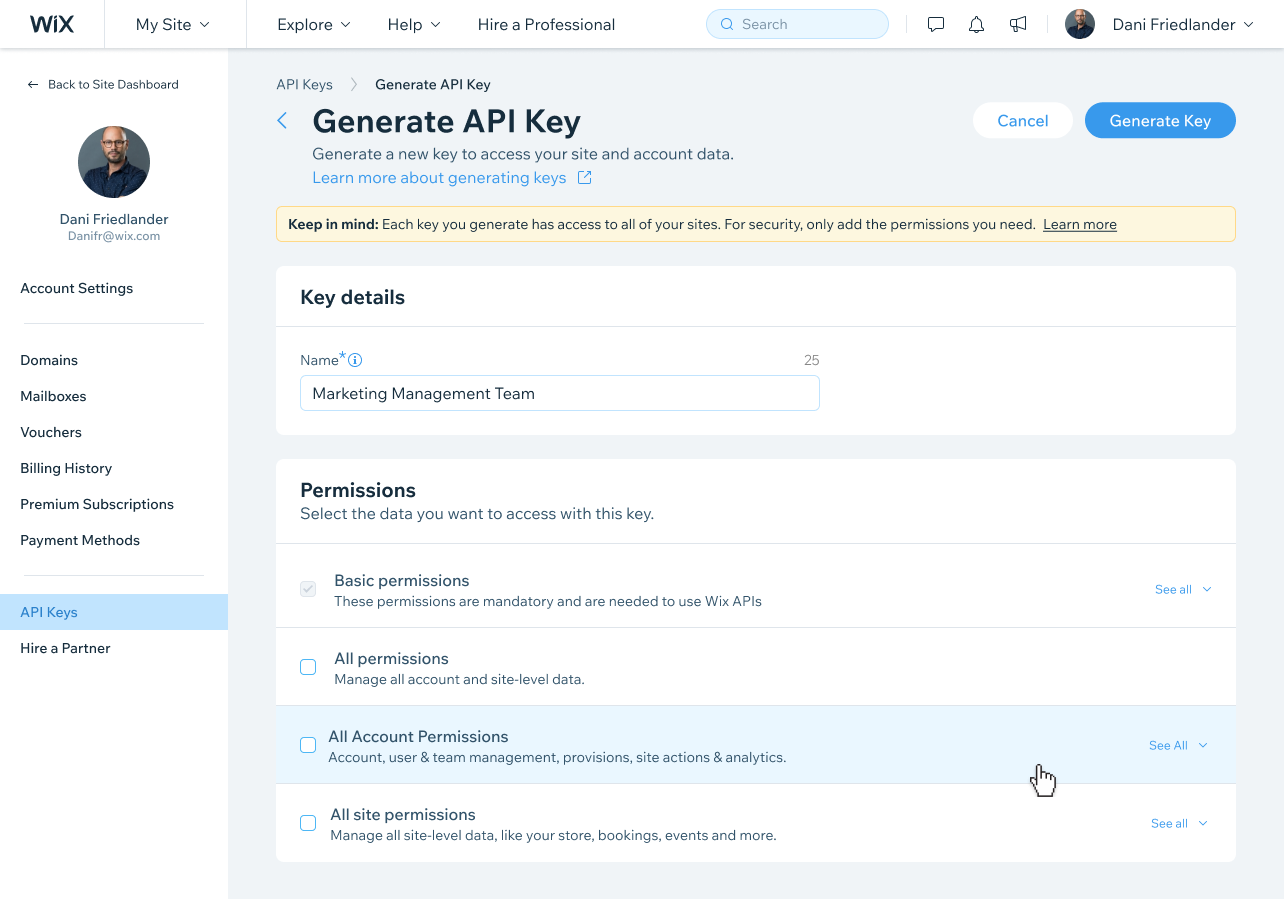
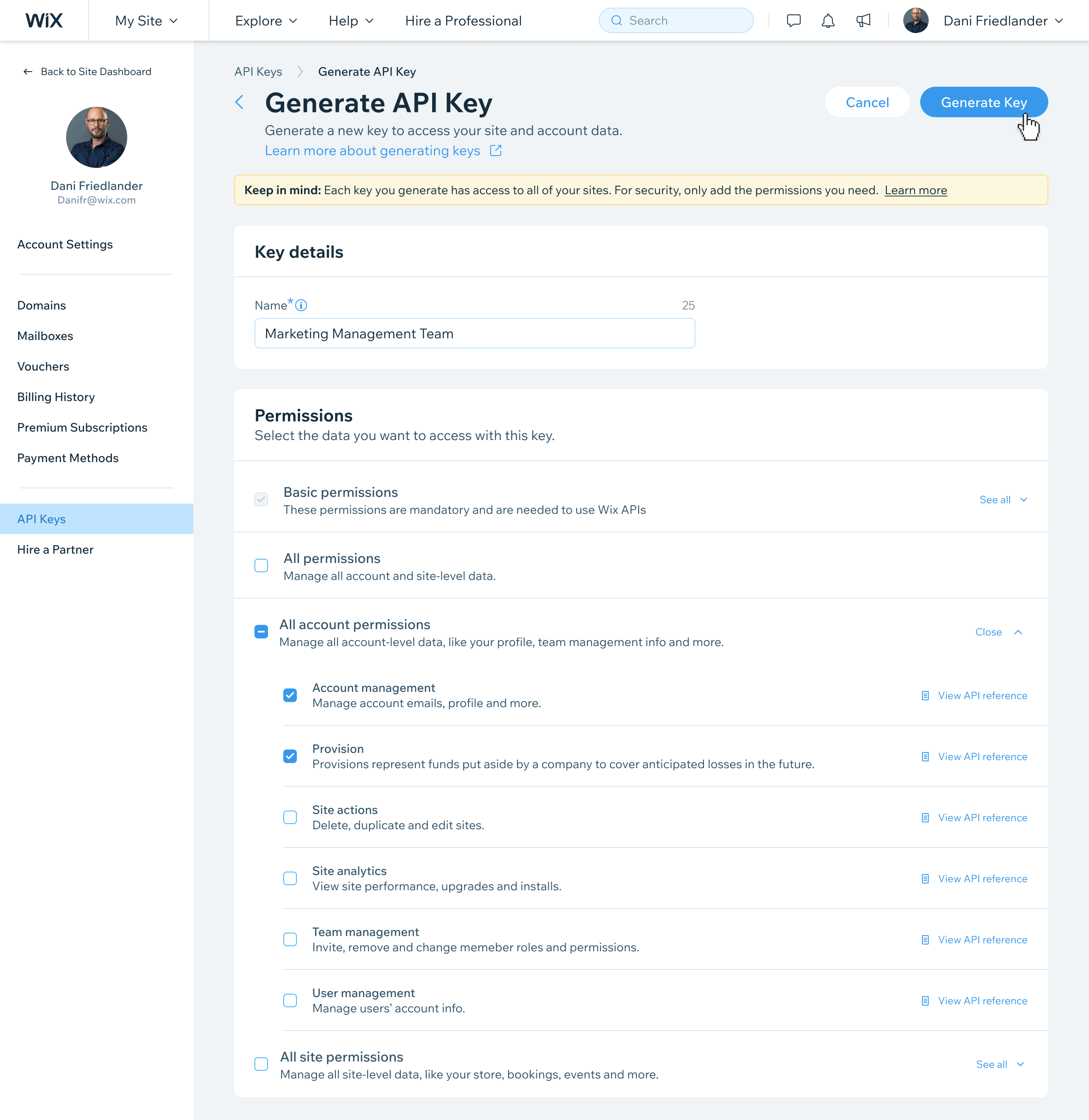
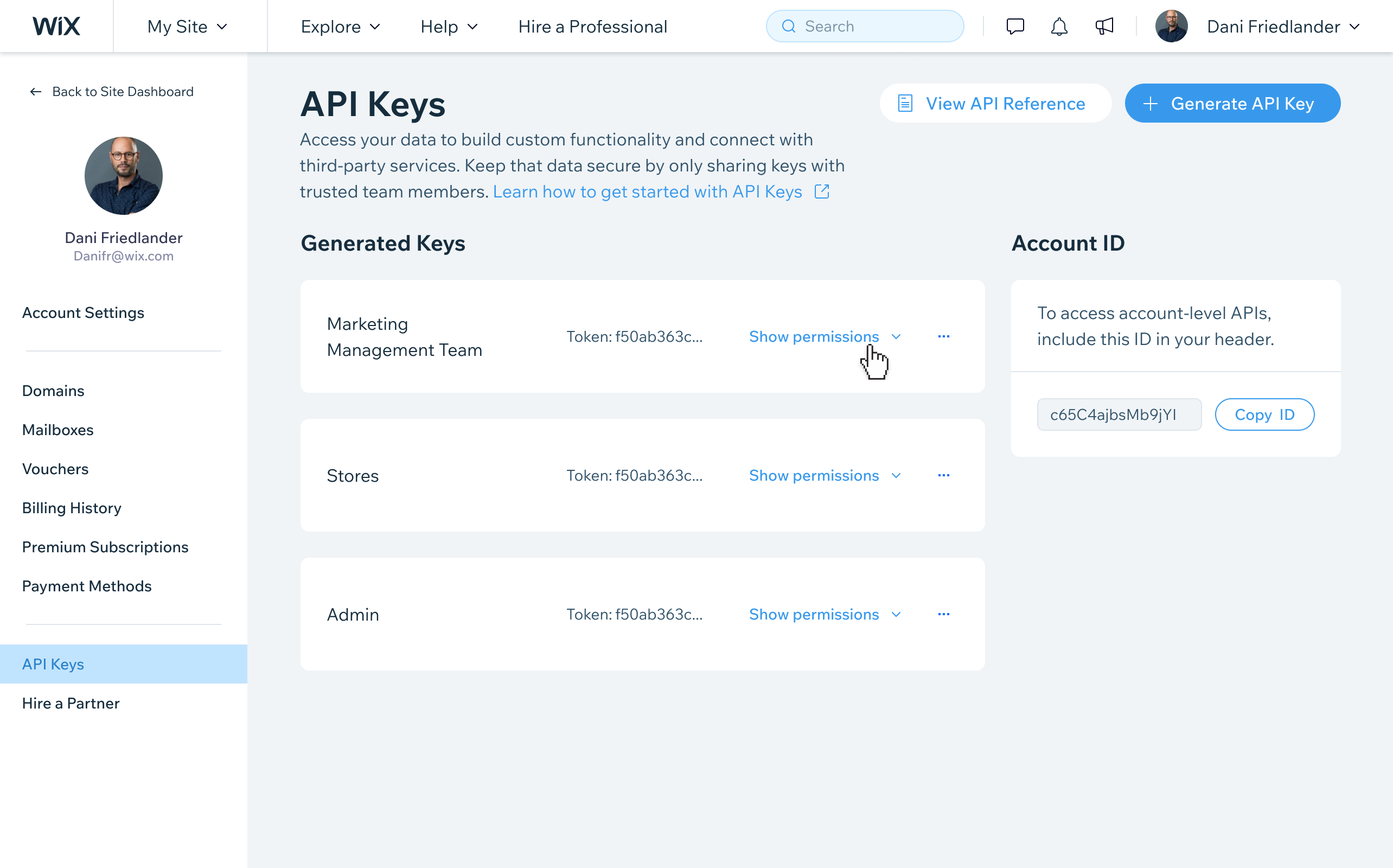
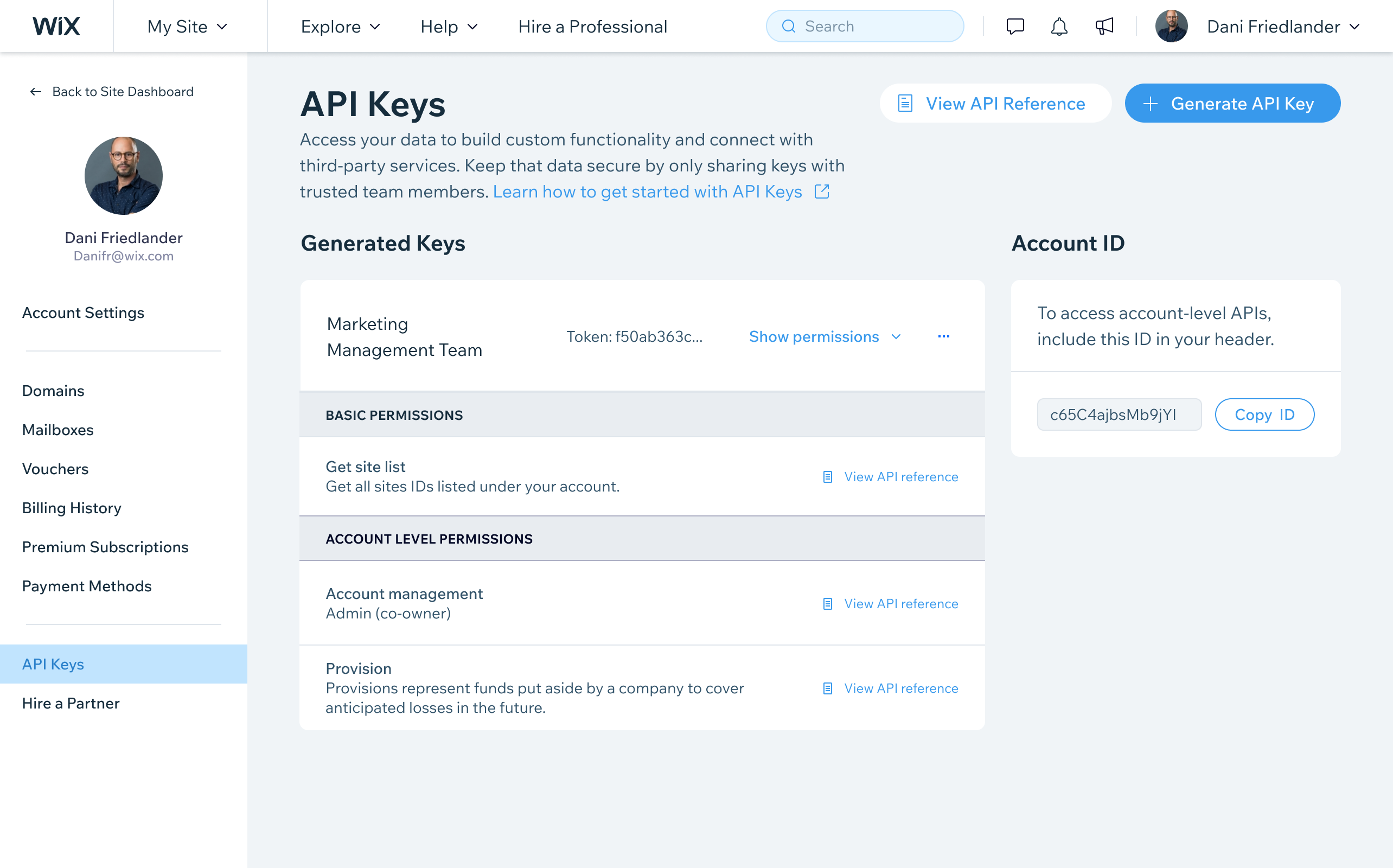
To handle the one-time visibility challenge, I designed a secure reveal flow that surfaces the key immediately after generation with clear copy prompts and confirmation messaging, so users understand they must save it before leaving. Beyond generation, the design included a full keys management table for viewing, editing, and revoking keys, with a granular permissions UI letting users define exactly what each key could access - giving teams precise security control over their Wix integrations.
What I Did
- Solved the one-time key visibility challenge by designing a clear, secure reveal flow that surfaces the key only at generation
- Designed granular permission configuration to let users control what each API key can access
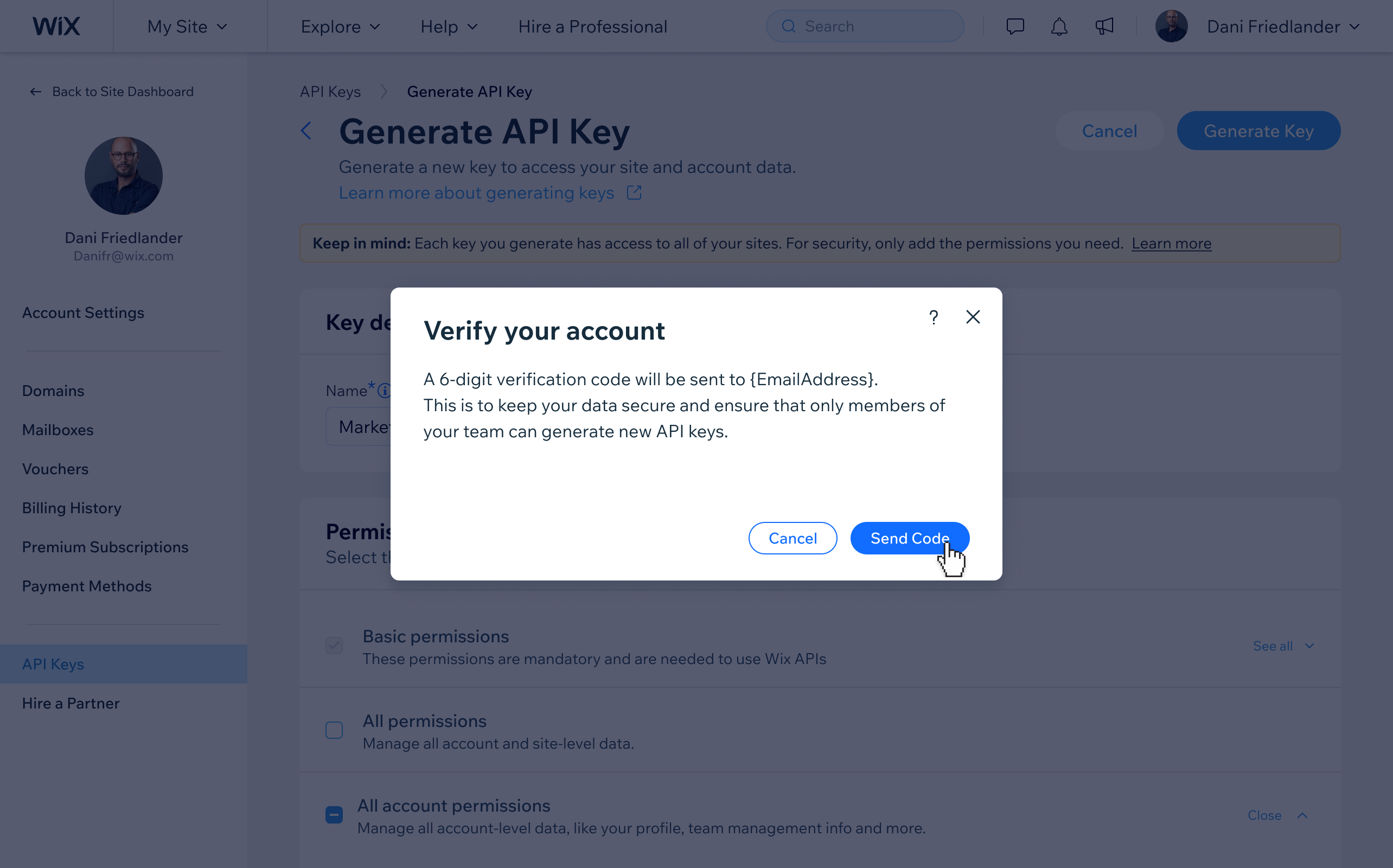
- Added an account verification step prior to key generation to ensure security
Impact
- The API Keys page became the primary credential management surface for developers building on the Wix platform. It removed the need to manage keys outside of Wix and gave enterprise and agency developers a reliable, in-product way to authenticate integrations.
Bottom line
The one-time visibility constraint was the design problem that mattered most here. A key that cannot be retrieved after generation is a security property, not a limitation, but it puts the entire burden of not losing it on a single moment in the flow. Getting the reveal screen right, with the right prompts and the right sense of weight, was the part that required the most iteration.