July 2021
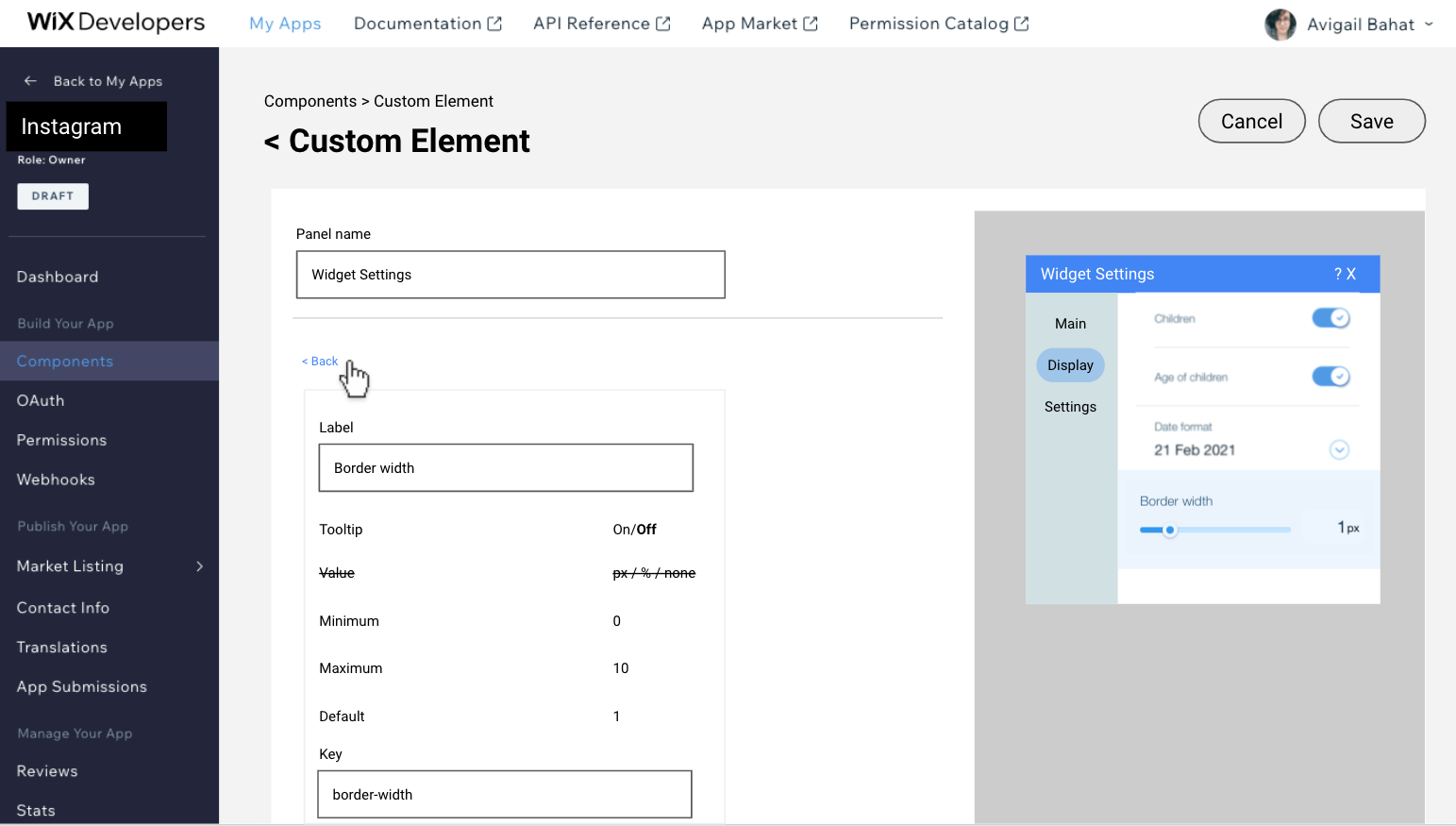
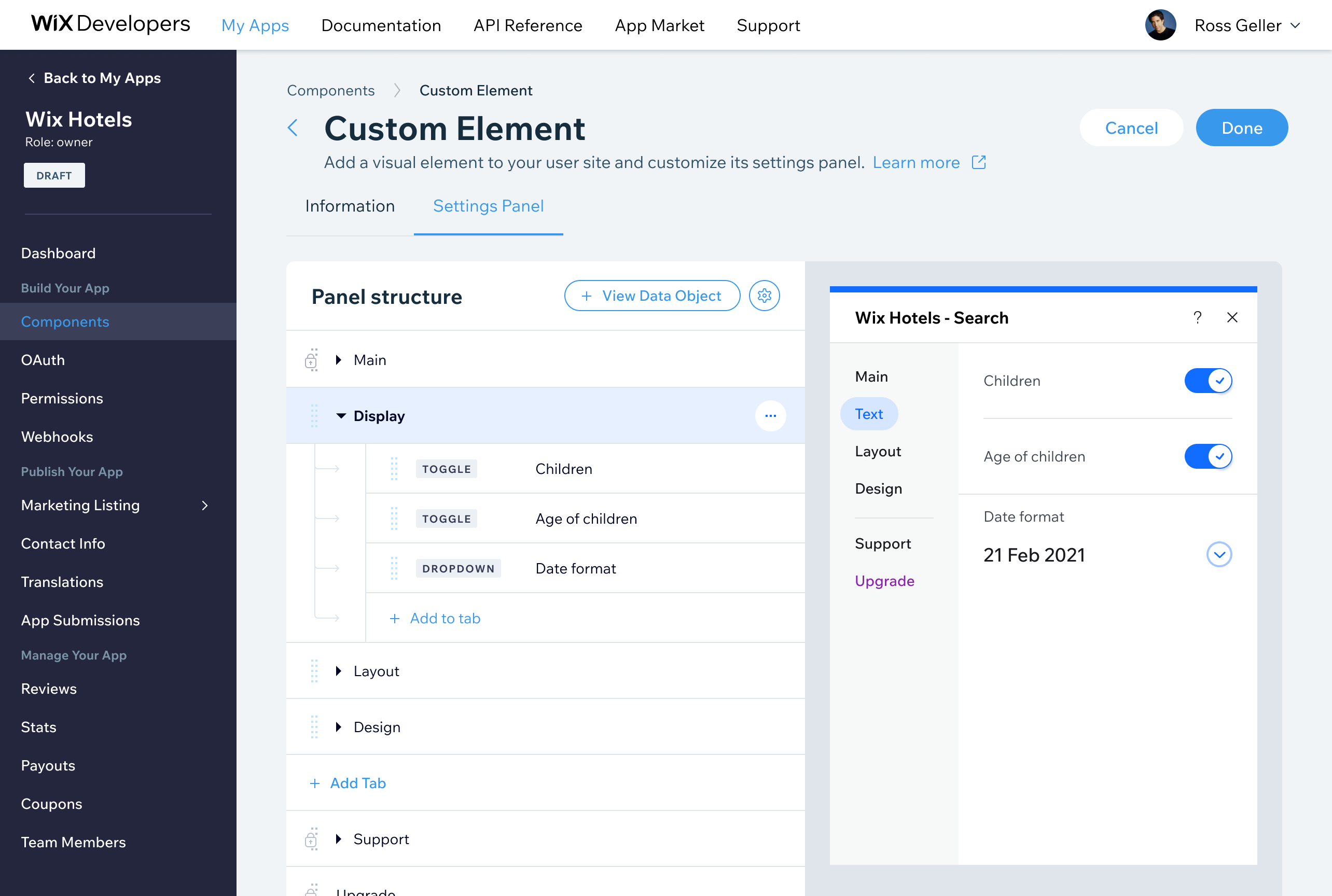
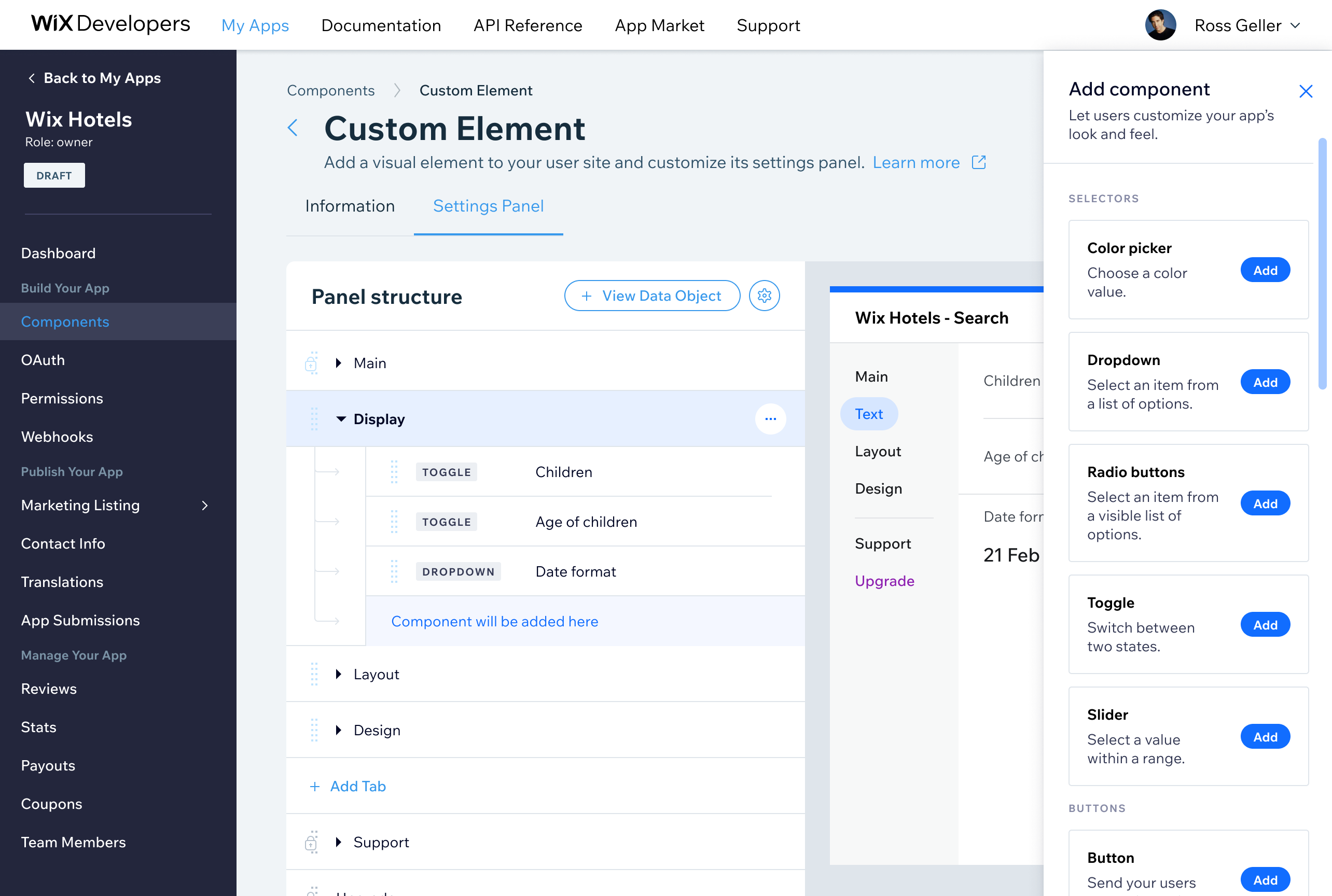
Wix's Custom Element framework lets third-party developers build apps using Wix UI components, but without a settings configuration tool, developers had to write custom code for every configuration option. I designed the UX for a settings panel builder that lets developers visually configure their custom elements across tabs, sections, and drill-down menus — reducing developer friction, improving submission quality, and shortening the account manager review cycle.
What I Did
- Designed the UX for a settings panel builder within the custom element framework
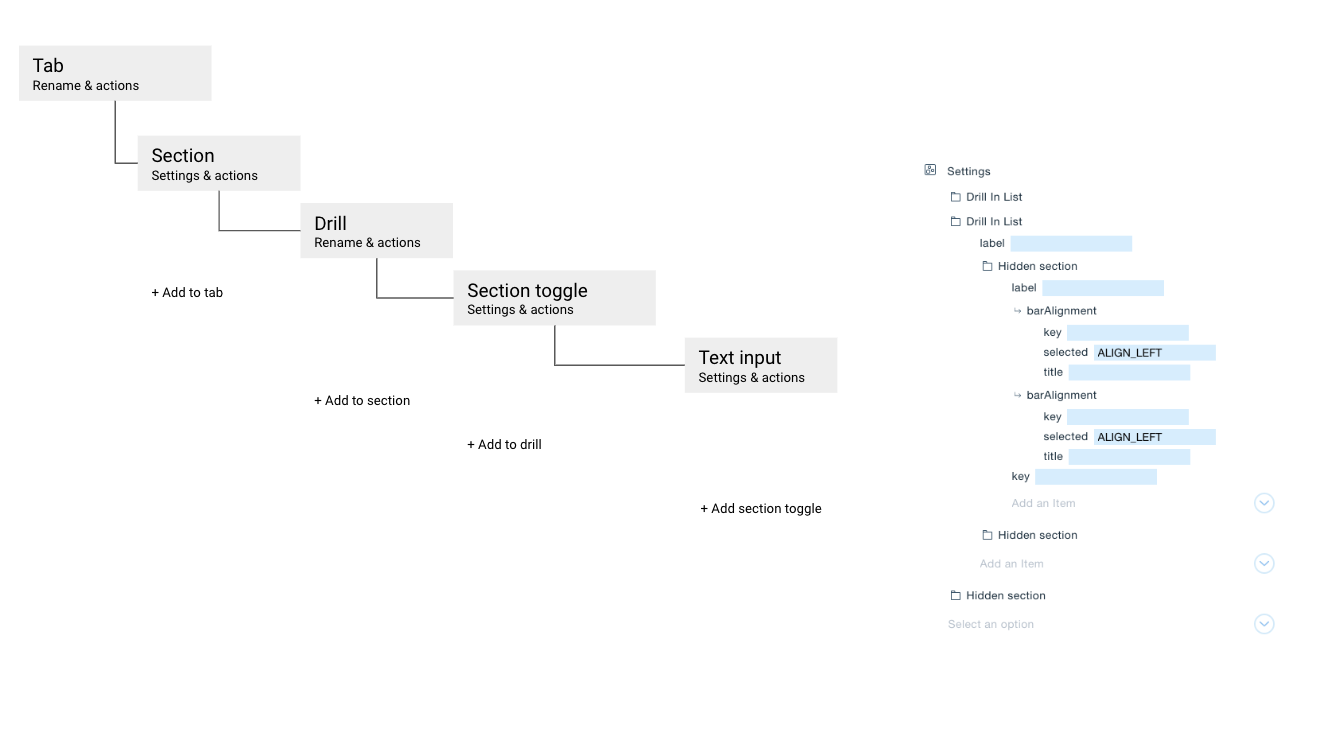
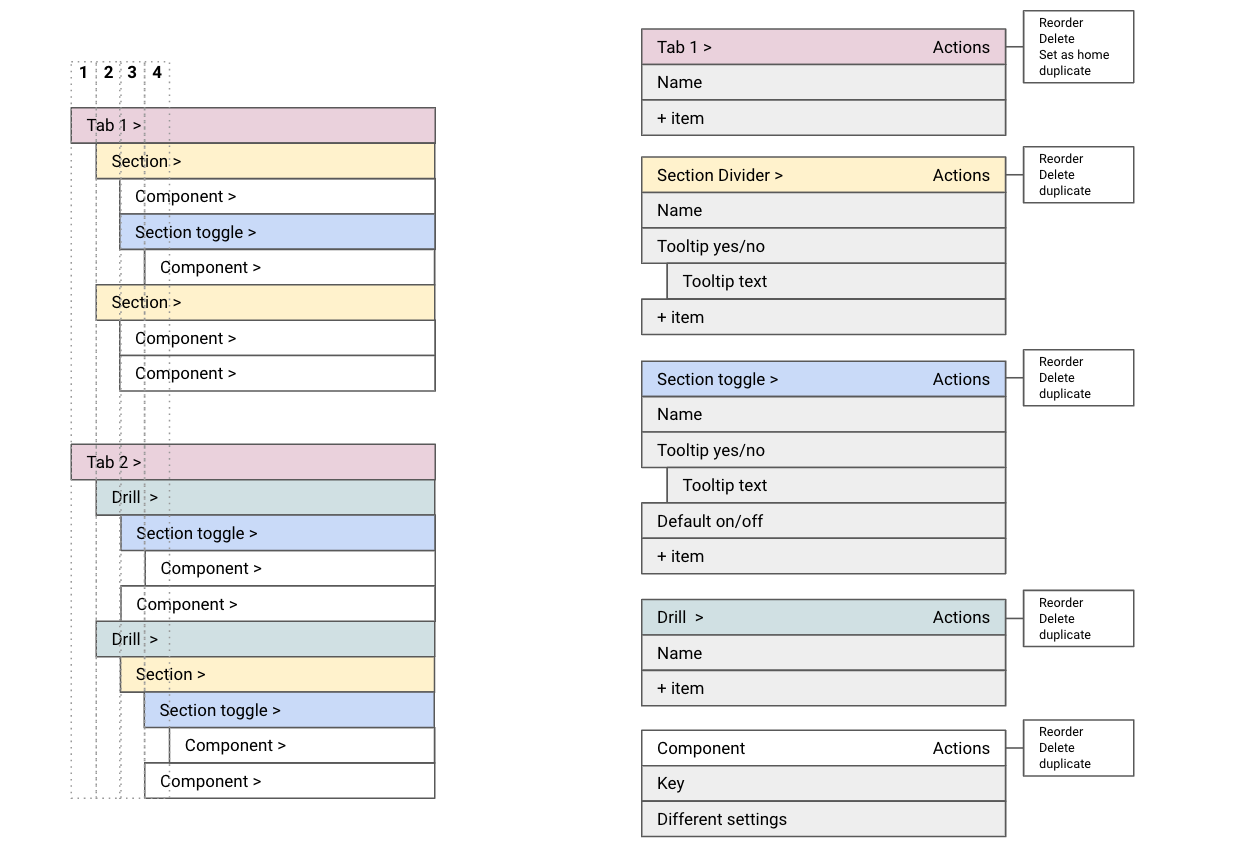
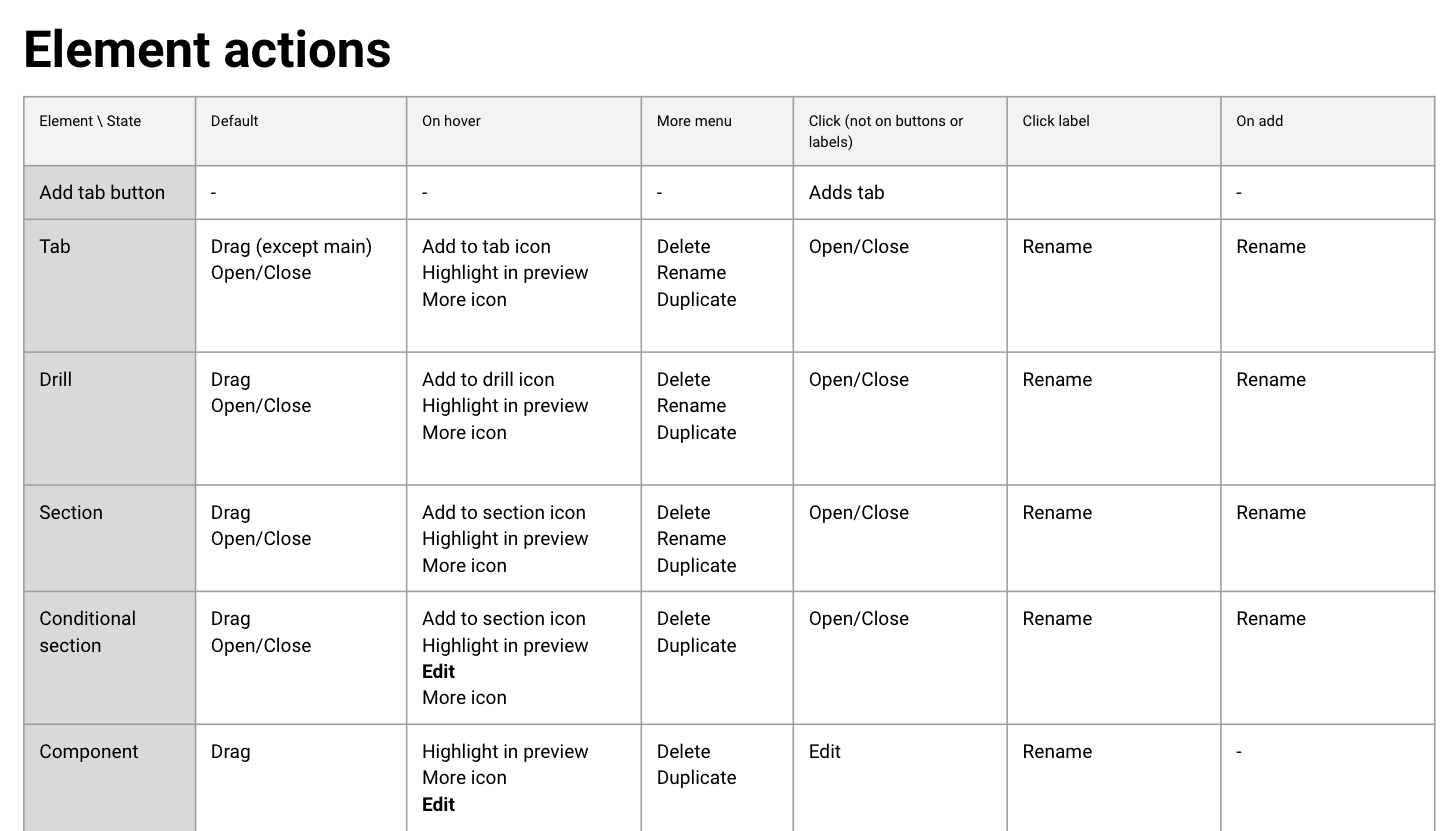
- Mapped configuration options (tabs, sections, drills) to enable flexible component settings
Impact
- Shipped as part of the Wix Custom Element framework. Developers could configure their component settings visually without writing code, lowering the barrier to submission and improving the consistency of submitted components.
Work files & wireframes
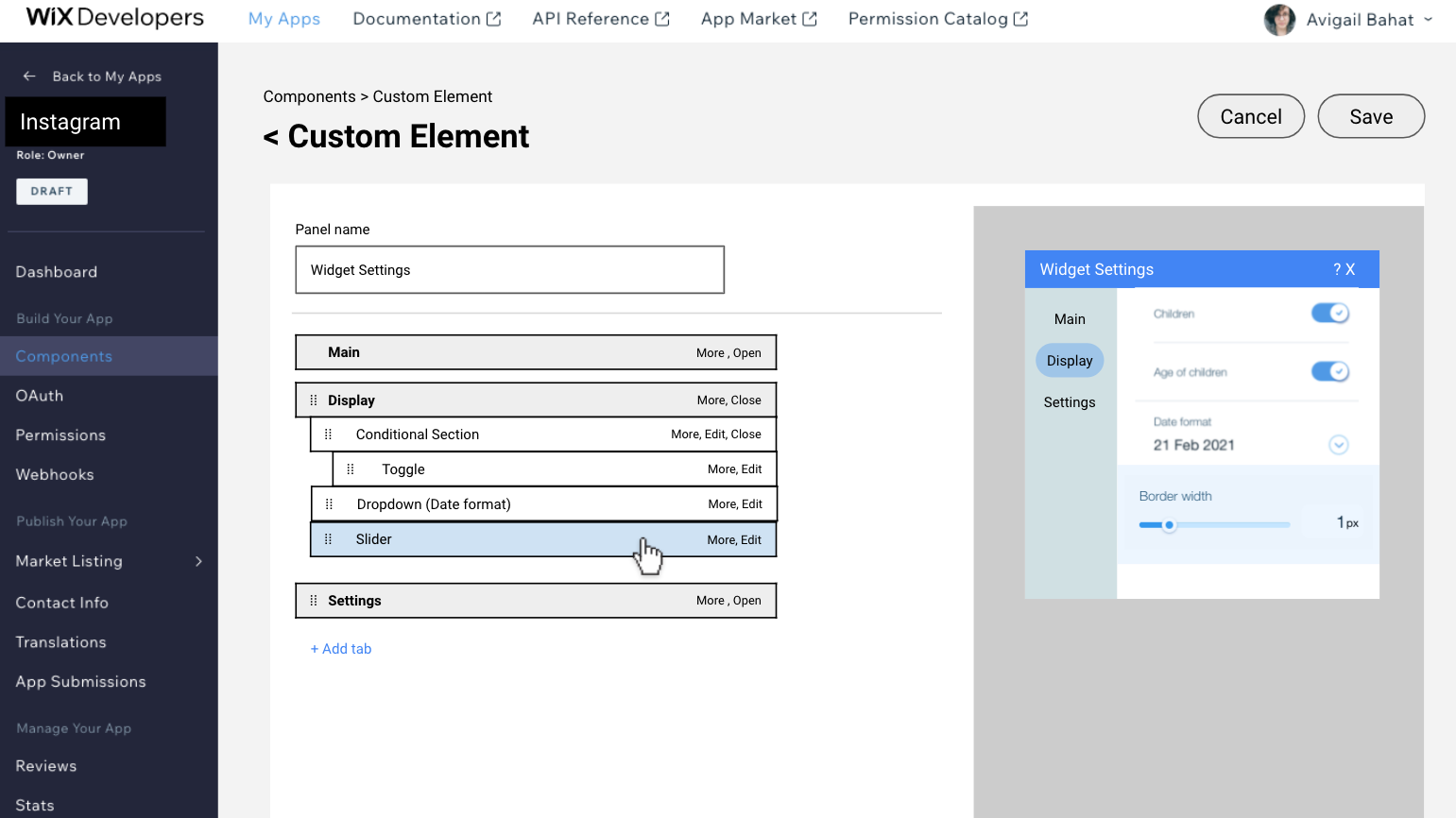
UI
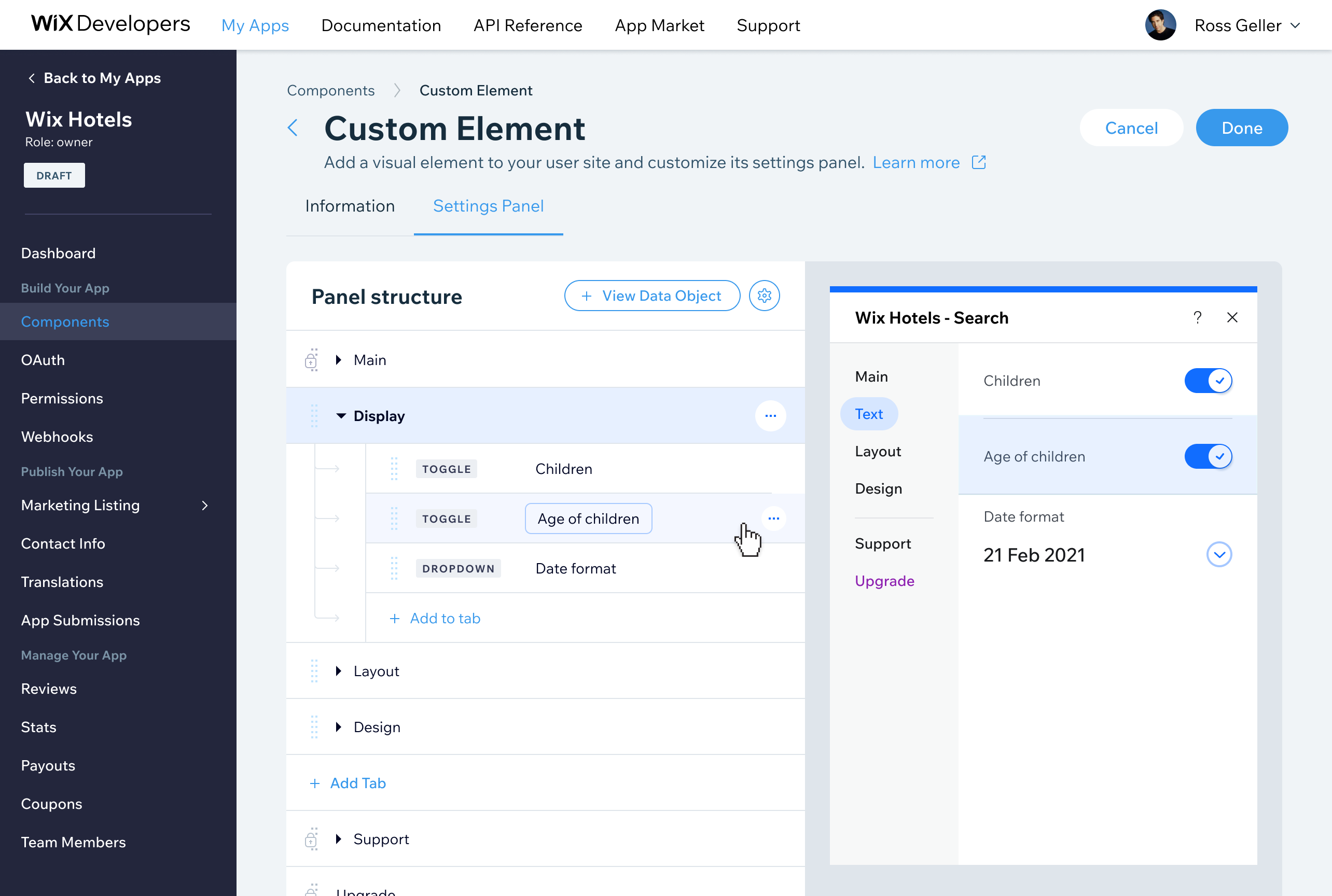
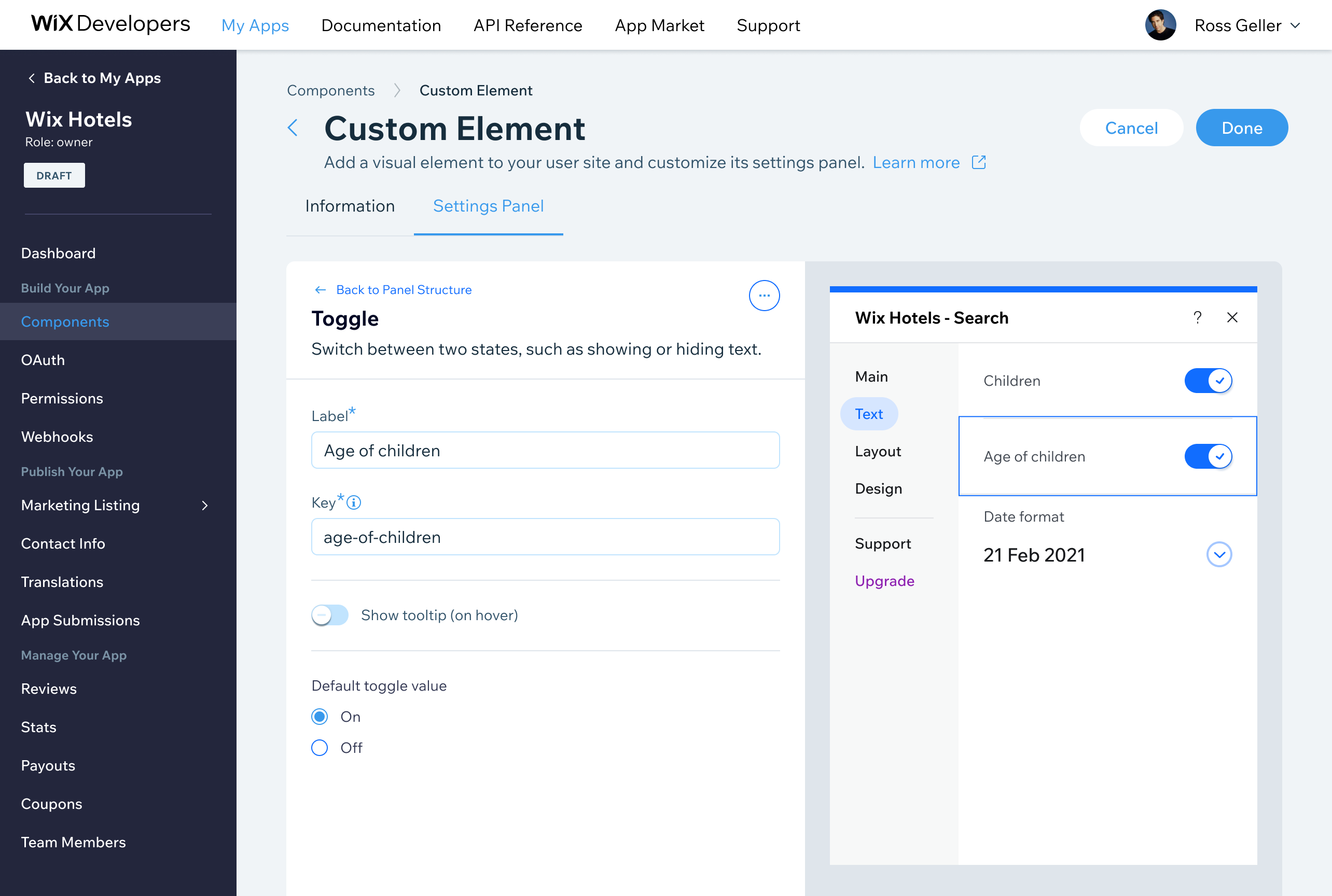
Bottom line
The core design challenge here was information architecture rather than visual design: how do you represent a potentially deep and irregular hierarchy of tabs, sections, and drill-down menus in a builder UI that is itself not deeply complex? The hierarchy mapping work ended up driving most of the substantive design decisions.