← Work

Home / App Collections Manager

App Collections Manager

Curation tooling for App Market vertical collections

2024 · Internal tools

Internal curation tools for managing App Market collections

App collections power the discovery experience inside Wix Verticals - curated groups of apps that vertical teams embed in their products. The existing tooling was limited, forcing all collection operations through the App Market team.

I redesigned the end-to-end information architecture for an internal collections manager: a list page with search, filter, and reorder; a guided creation flow; and a detail view with tabs for apps, metadata, and contributors. The redesign introduced self-service for vertical teams and role-based access, removing a persistent operational bottleneck.

Before
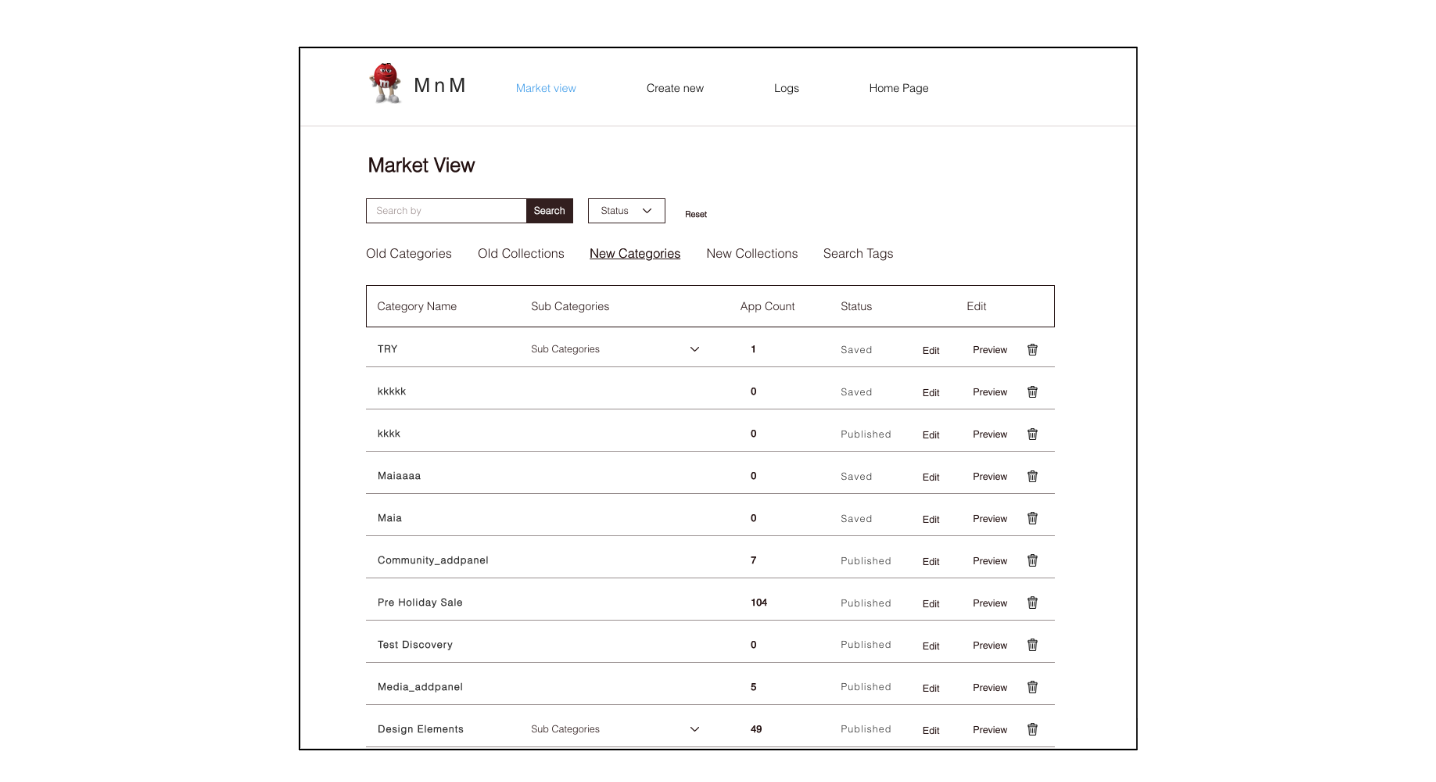
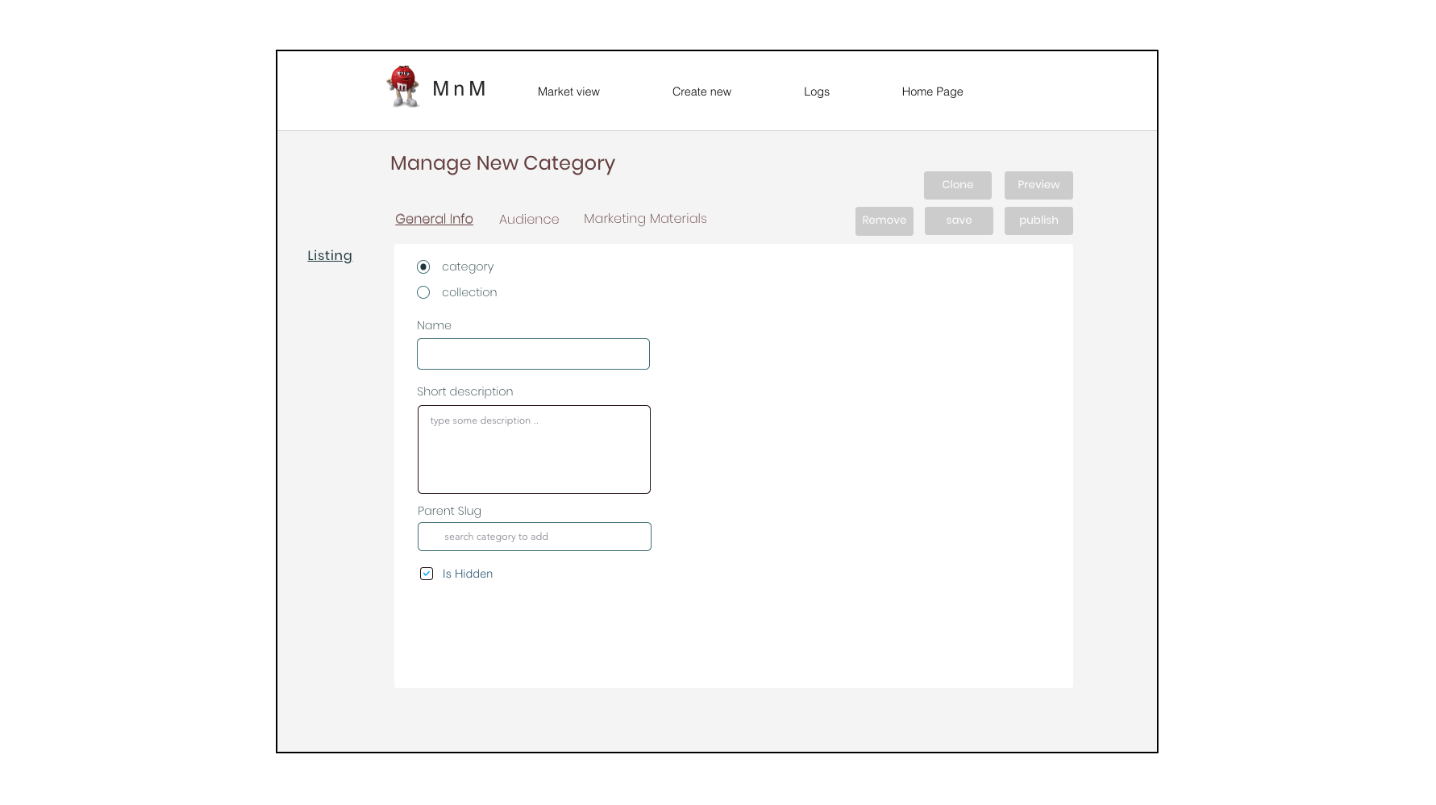
Before state — the legacy collections manager with limited discoverability and a basic category editing form
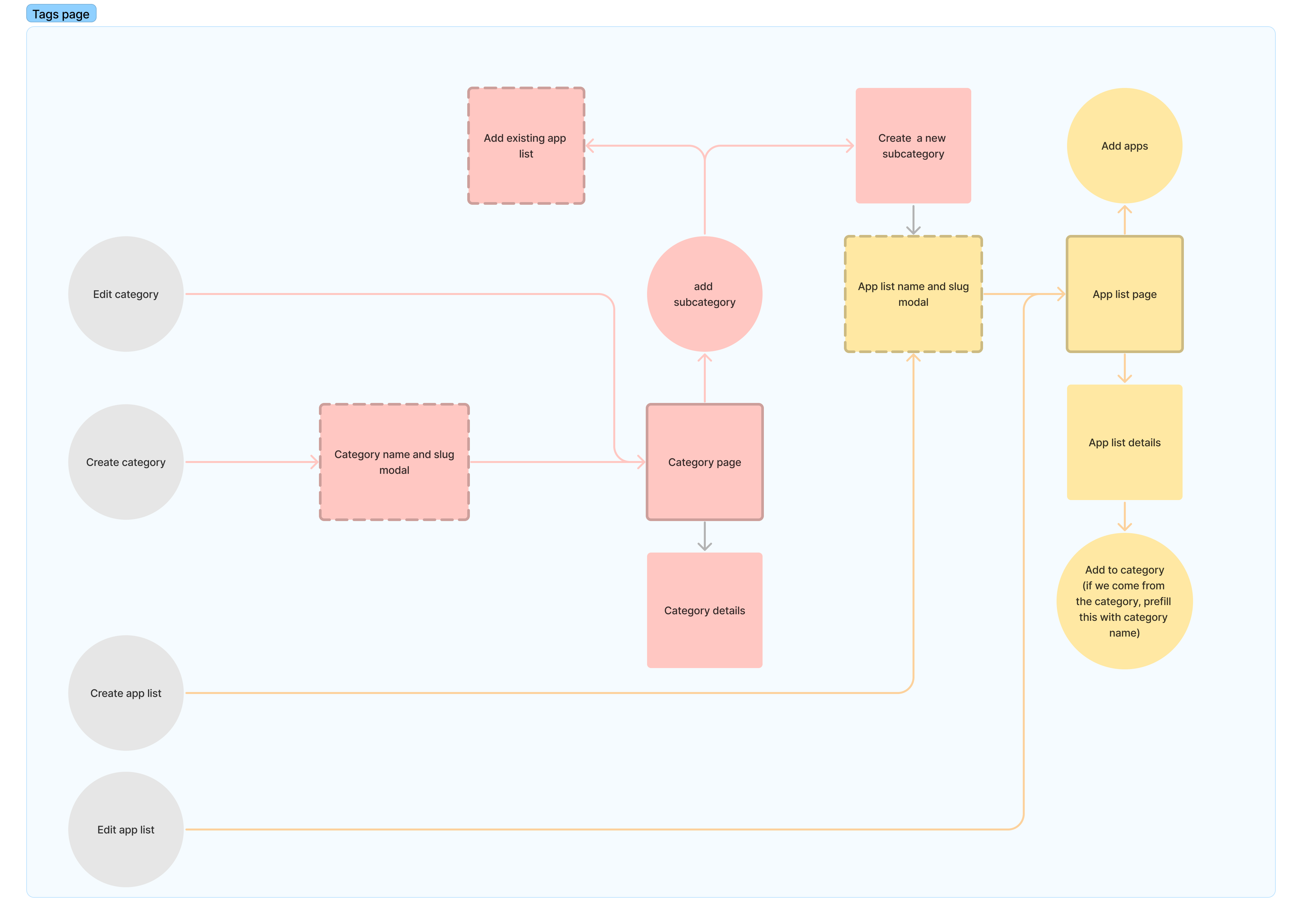
Information architecture mapping the full system — categories, subcategories, and app lists with their creation, editing, and navigation flows

What I Did

  • Redesigned the information architecture for managing app collection and categories
  • Designed the collections management page (view, search, filter, reorder)
  • Built the collection creation flow (name → generation type → success state)
  • Designed the collection detail page with apps, details, and contributors tabs
  • Added view-only mode for non-contributors
  • Supported both manual and automated (component-type) collection generation modes

Impact

The tool has been in active use by vertical teams across Wix since September 2022, replacing a manual process that required App Market team intervention for every collection operation.
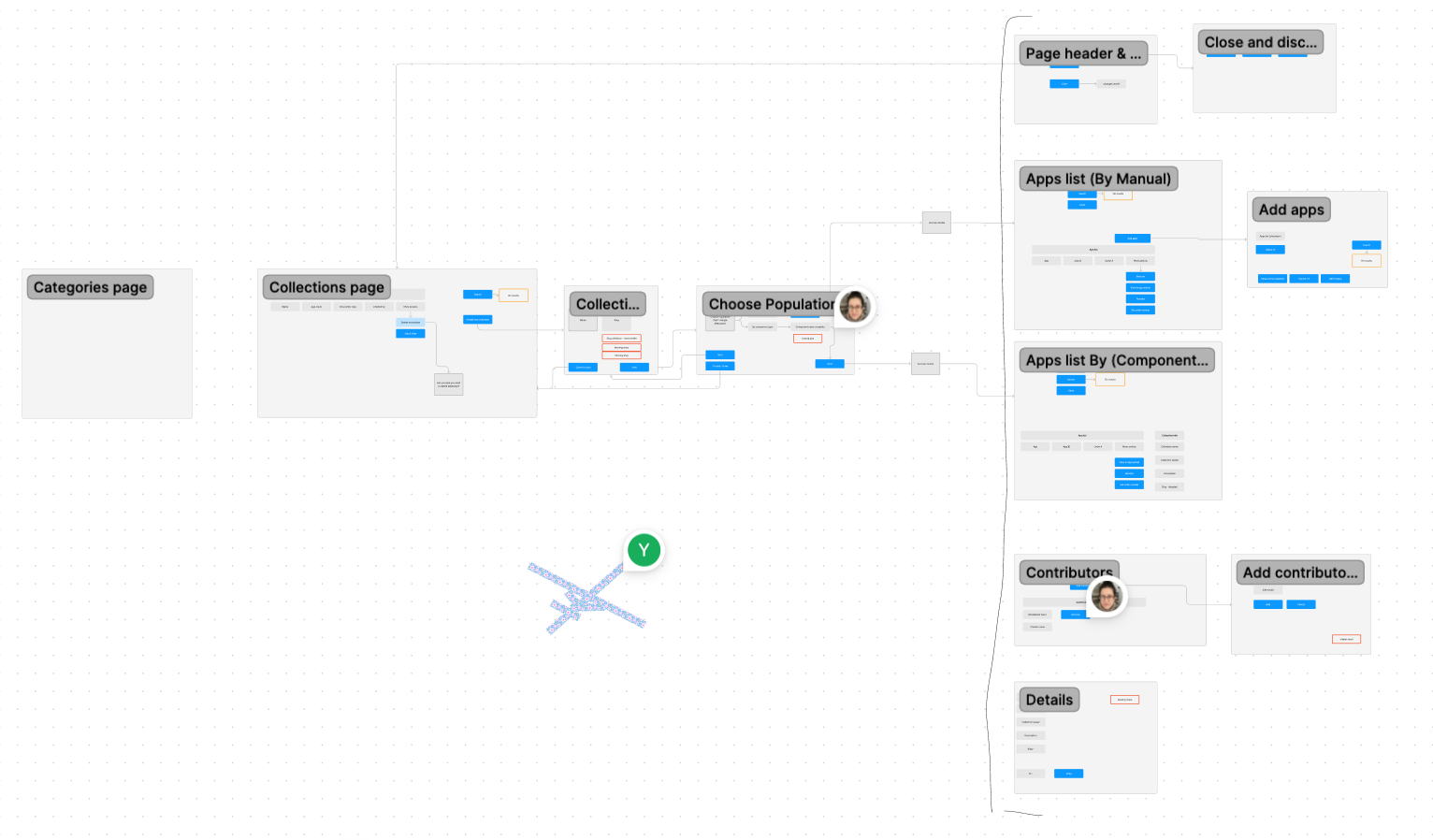
Project scope map — all pages and flows covered: collections list, creation flow, detail view, and contributors
Information architecture mapping the full system — categories, subcategories, and app lists with their creation, editing, and navigation flows
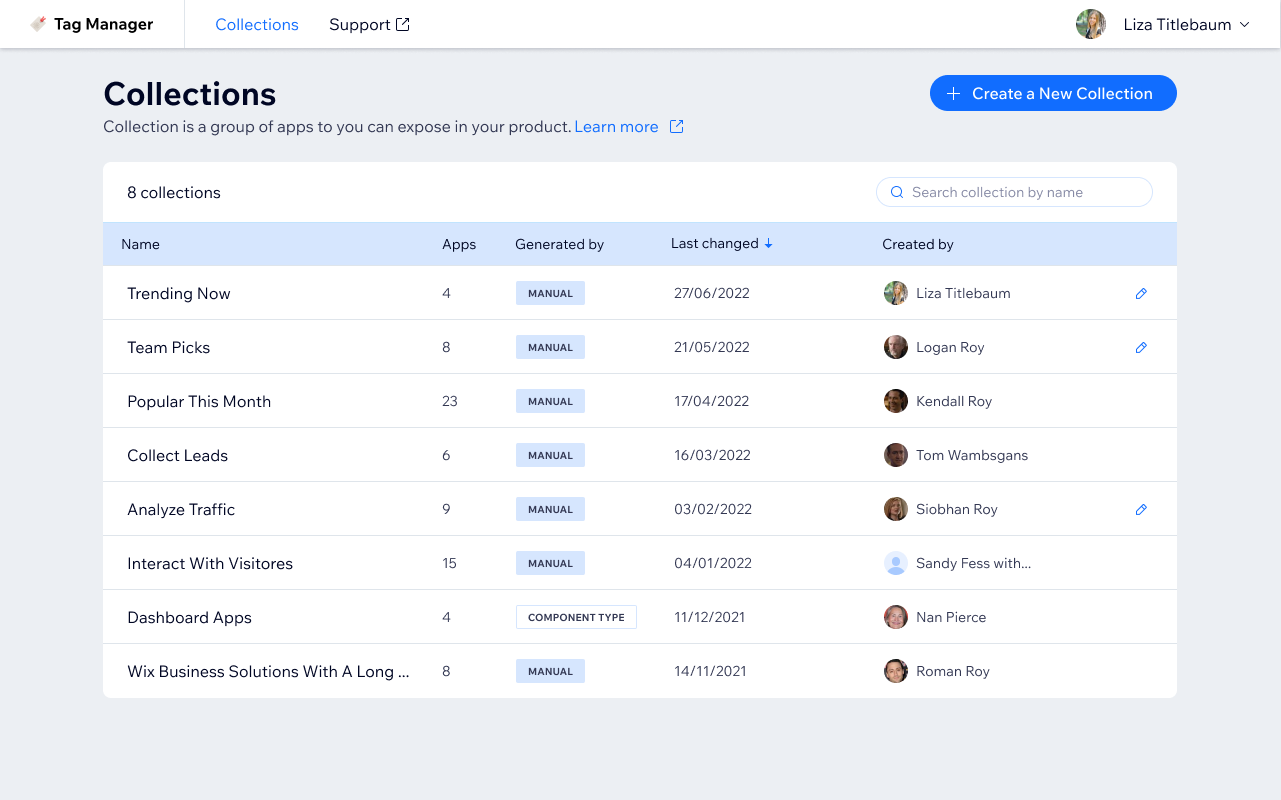
Collections list — all collections with app count, generation type (manual or component), last changed date, and creator
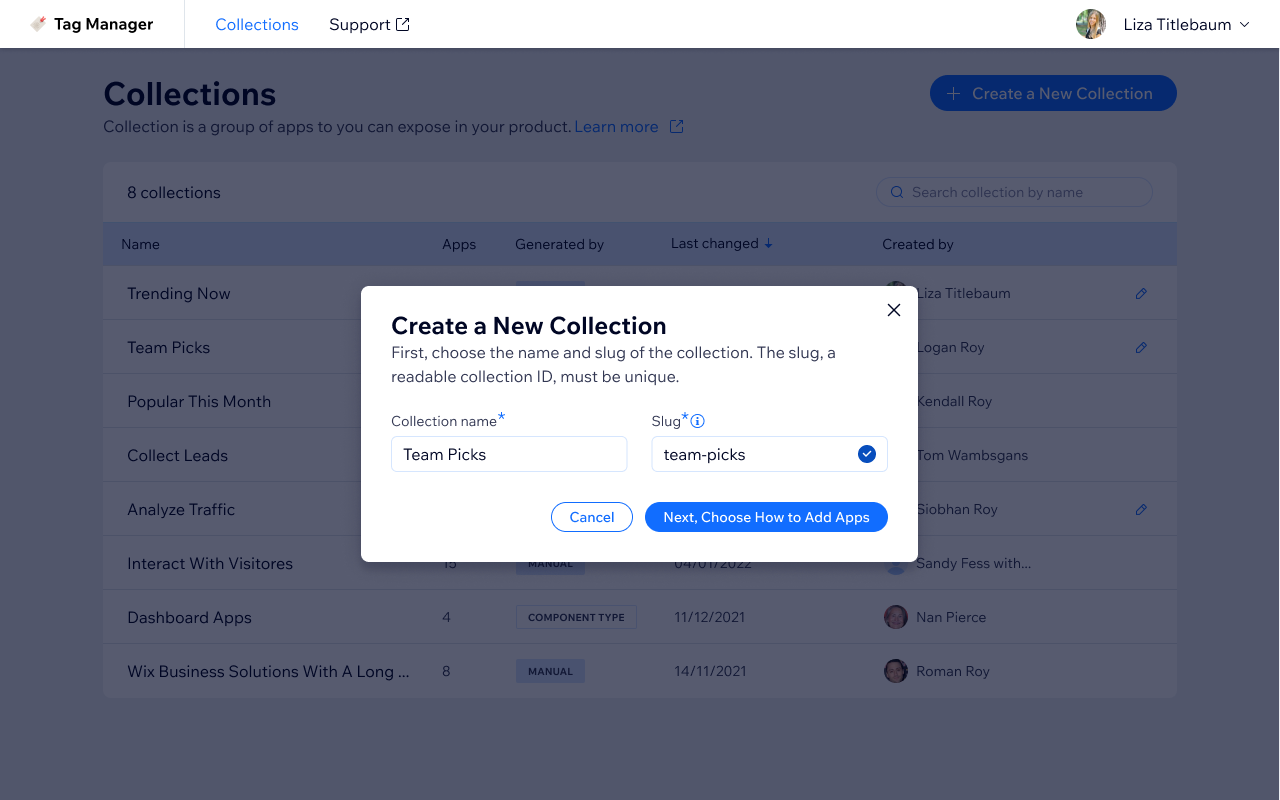
Collection creation step 1 — enter a collection name and auto-generated slug before proceeding
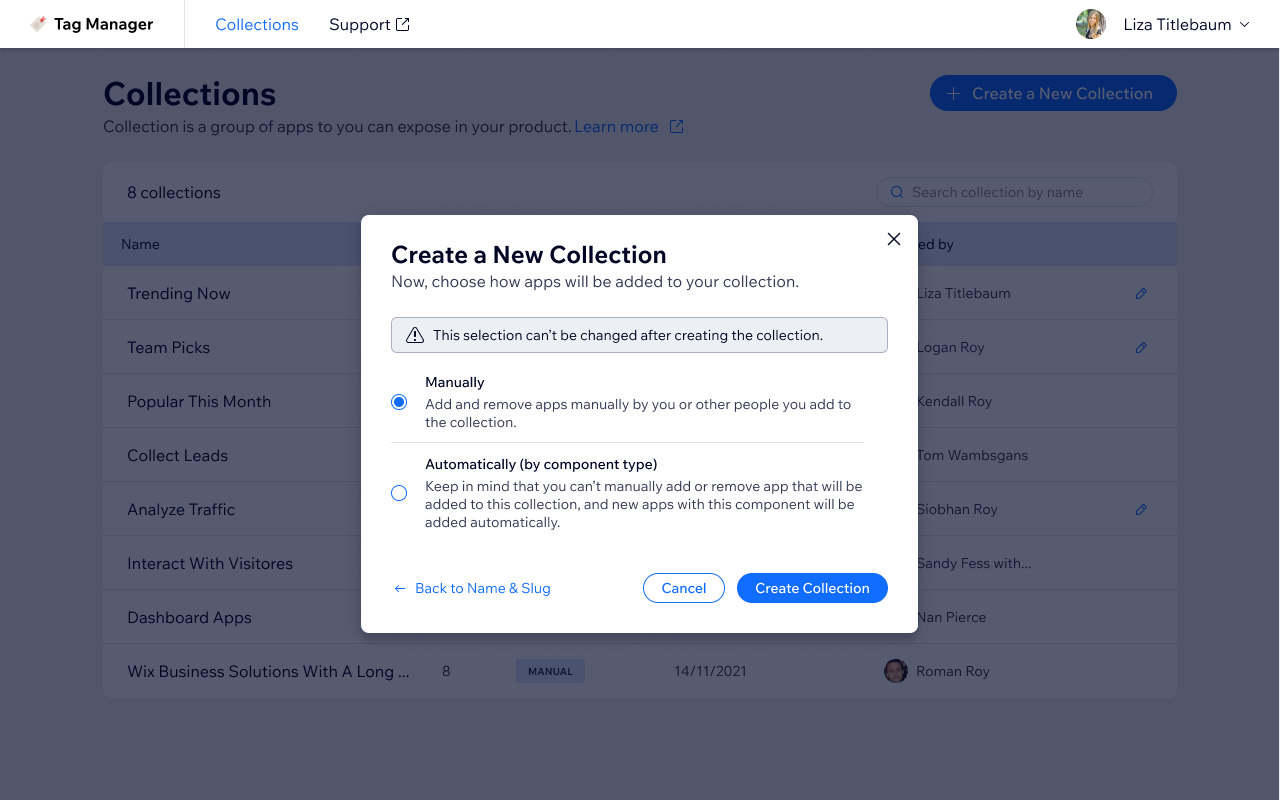
Collection creation step 2 — choose generation mode: manually curated or automatically by component type
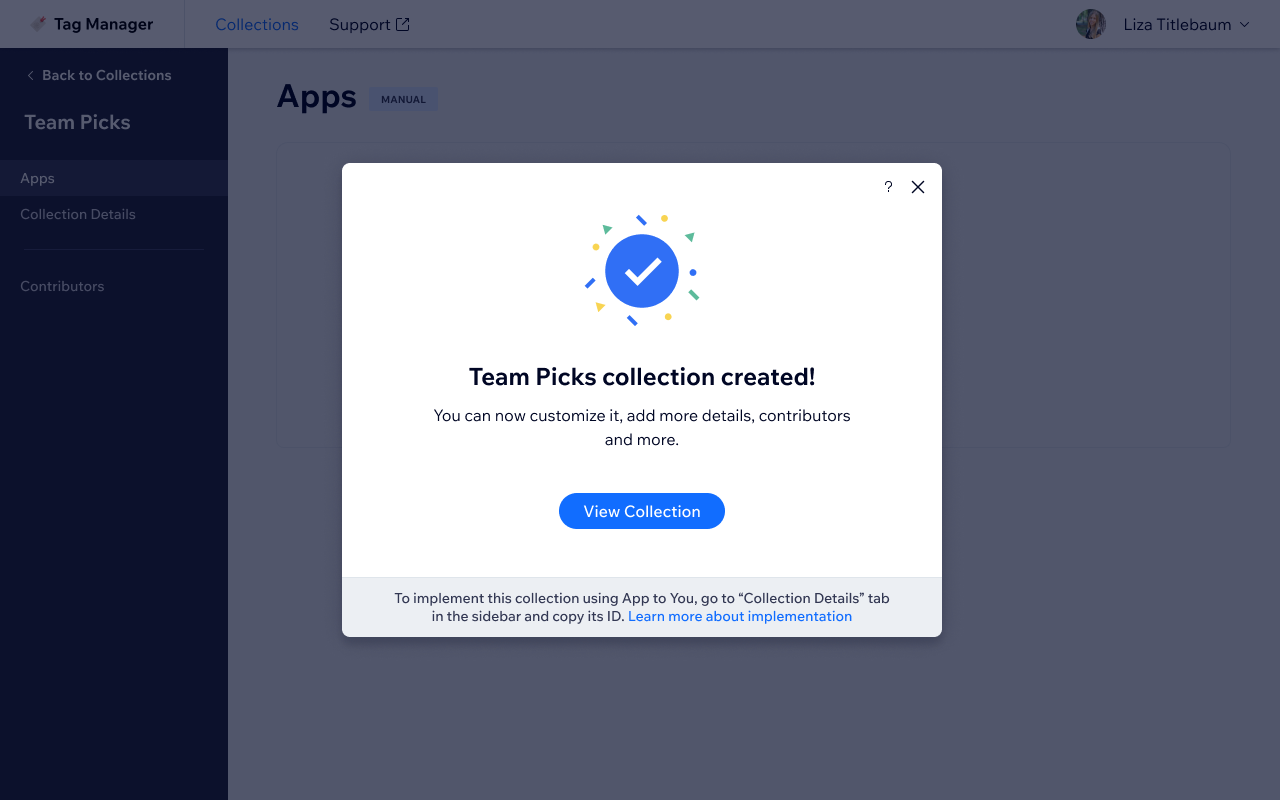
Collection creation success state — confirmation modal with link to view the new collection and implementation instructions
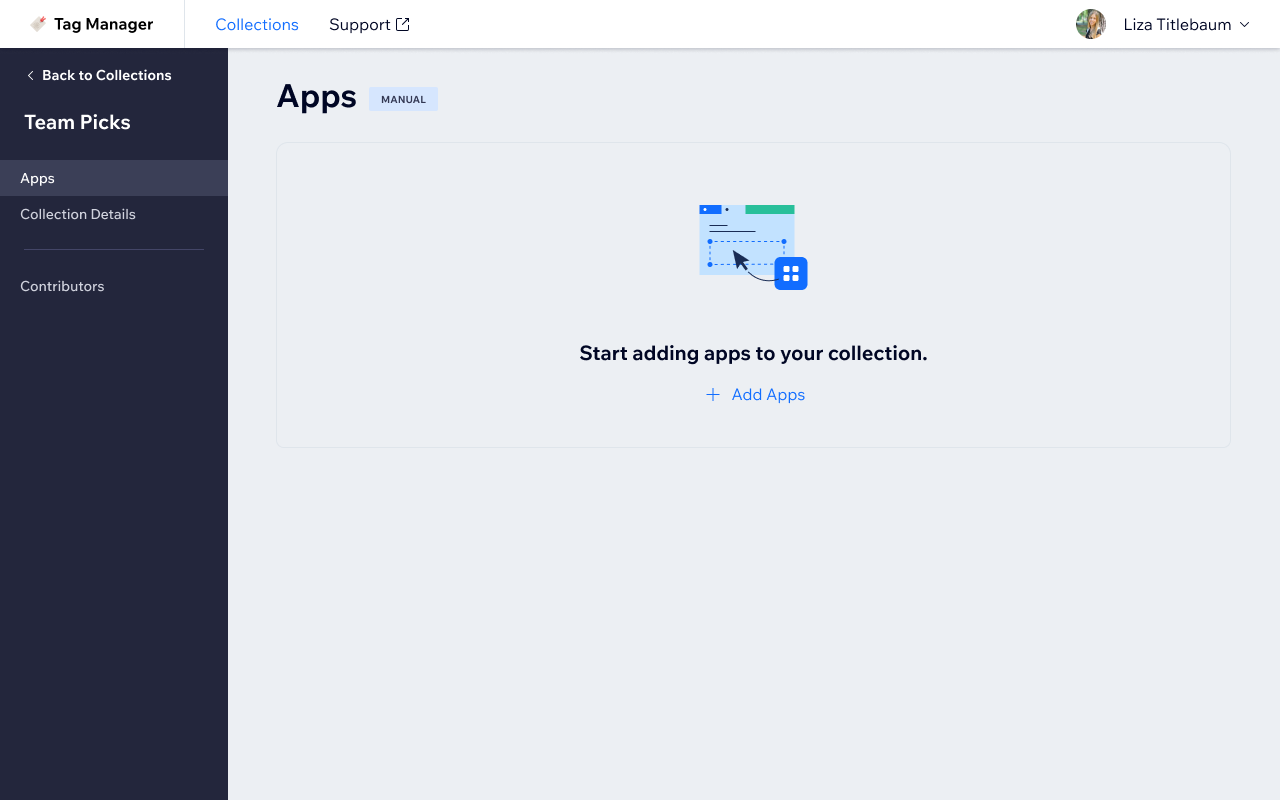
Collection detail — apps tab empty state with tabs for Apps, Collection Details, and Contributors visible in sidebar
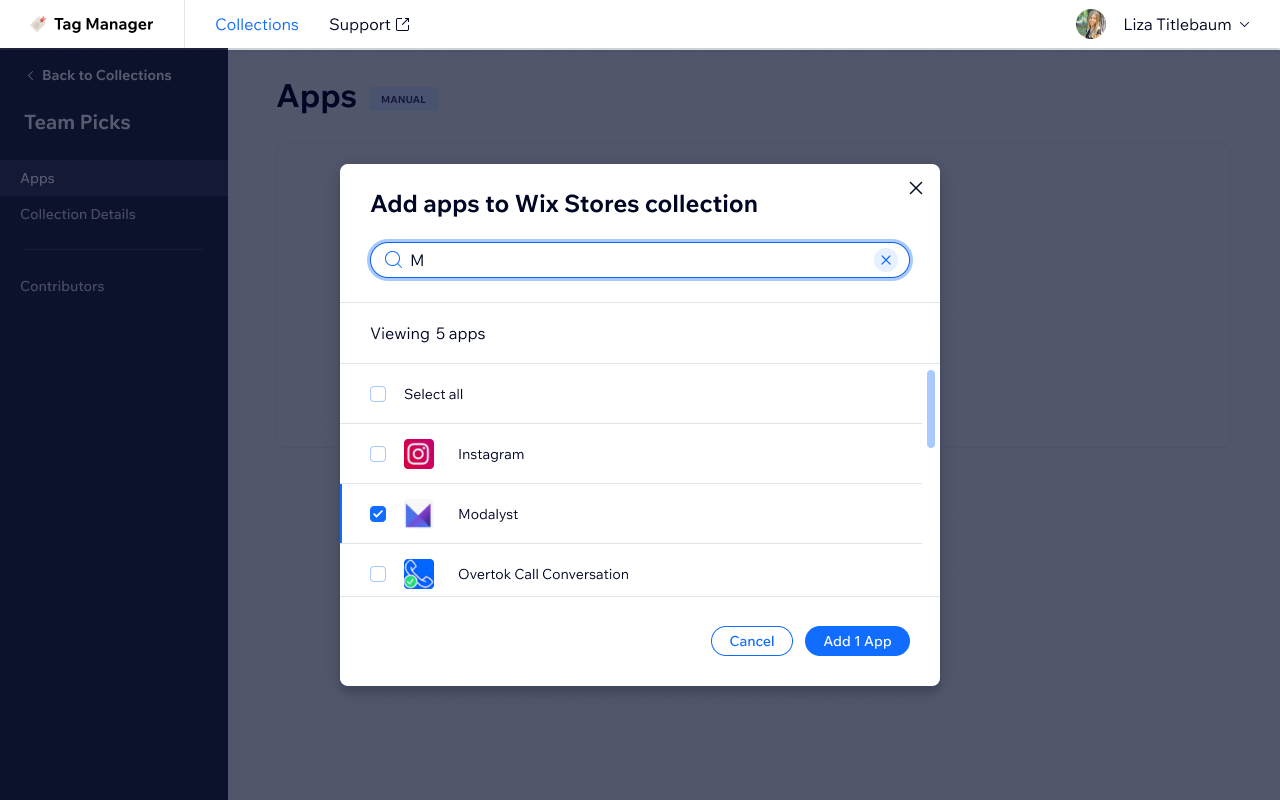
Add apps modal — search by name to find and select apps for the collection
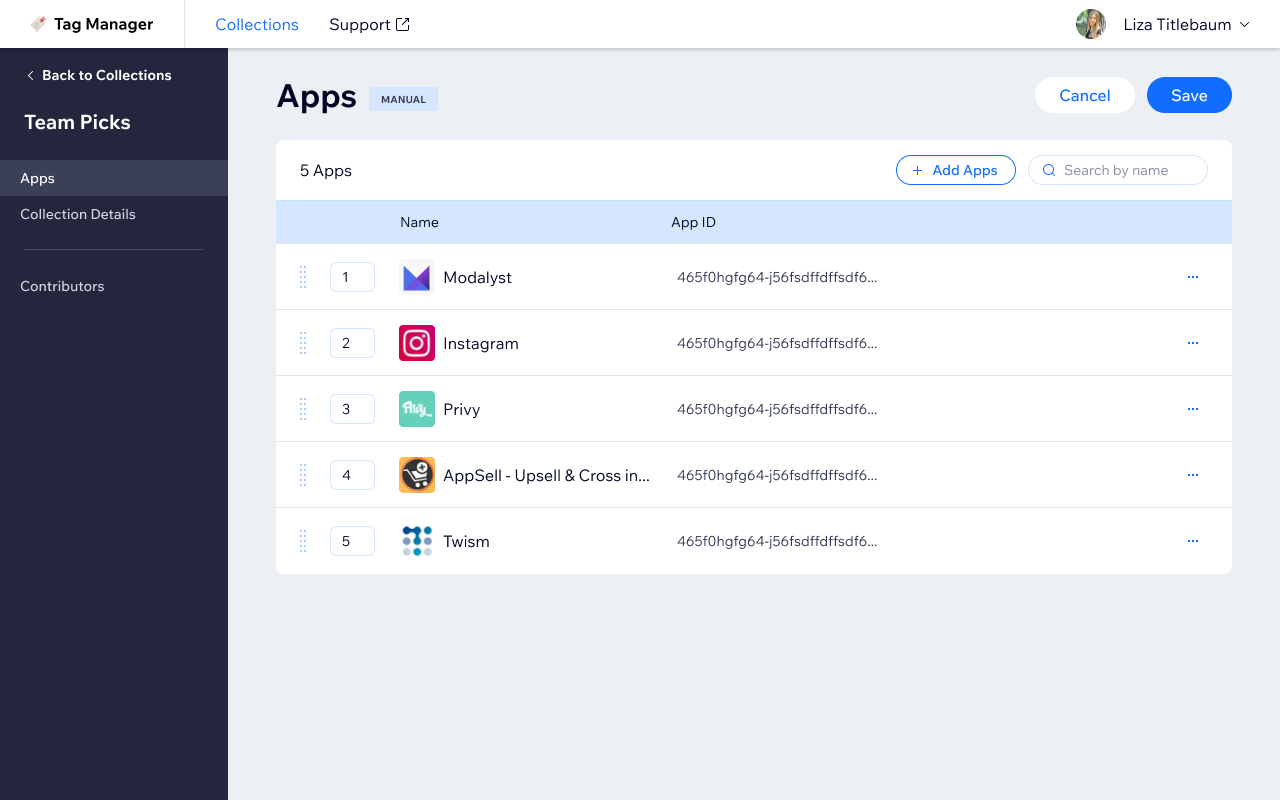
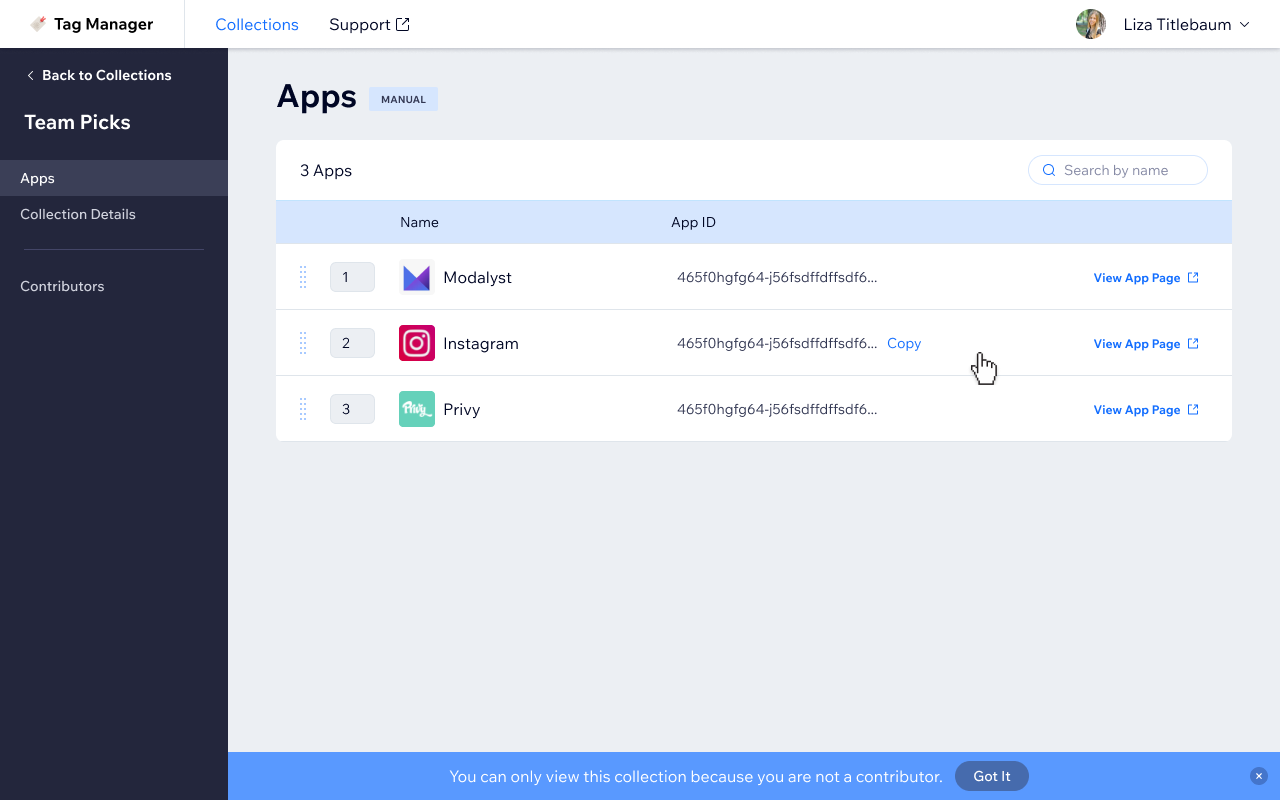
Apps tab with apps added — numbered list with drag handles for reordering and app ID shown per entry
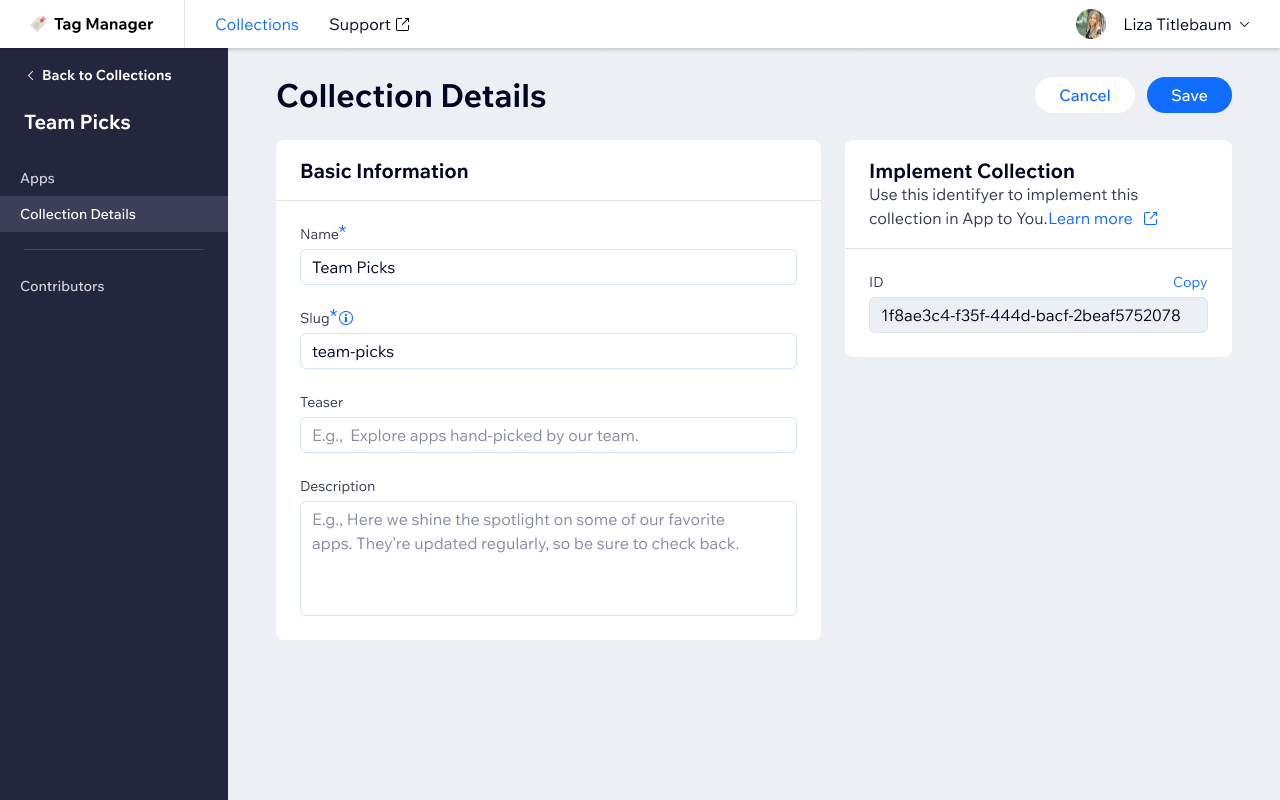
Collection Details tab — edit name, slug, teaser, and description, with the collection ID available to copy for implementation
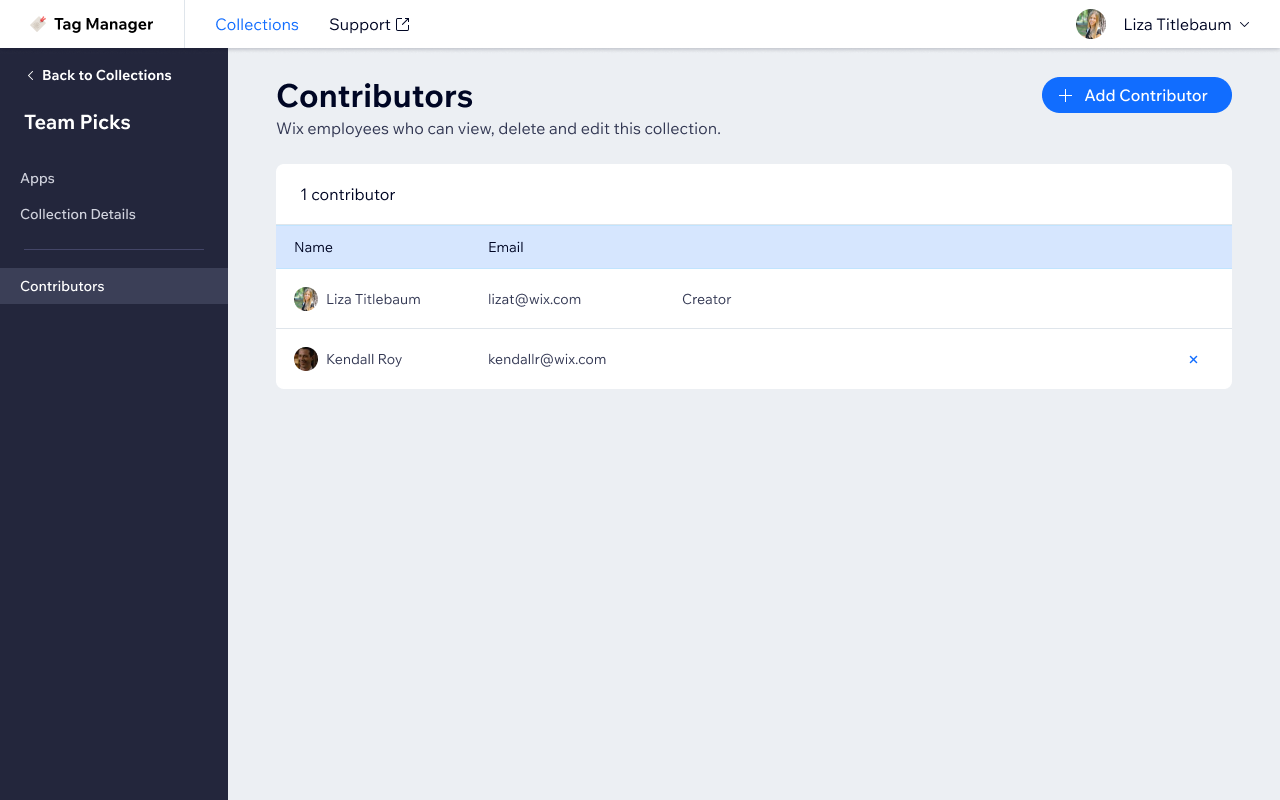
Contributors tab — manage who can edit the collection, showing name, email, and creator role
View-only mode — non-contributors see collection content with a banner explaining they can’t make edits
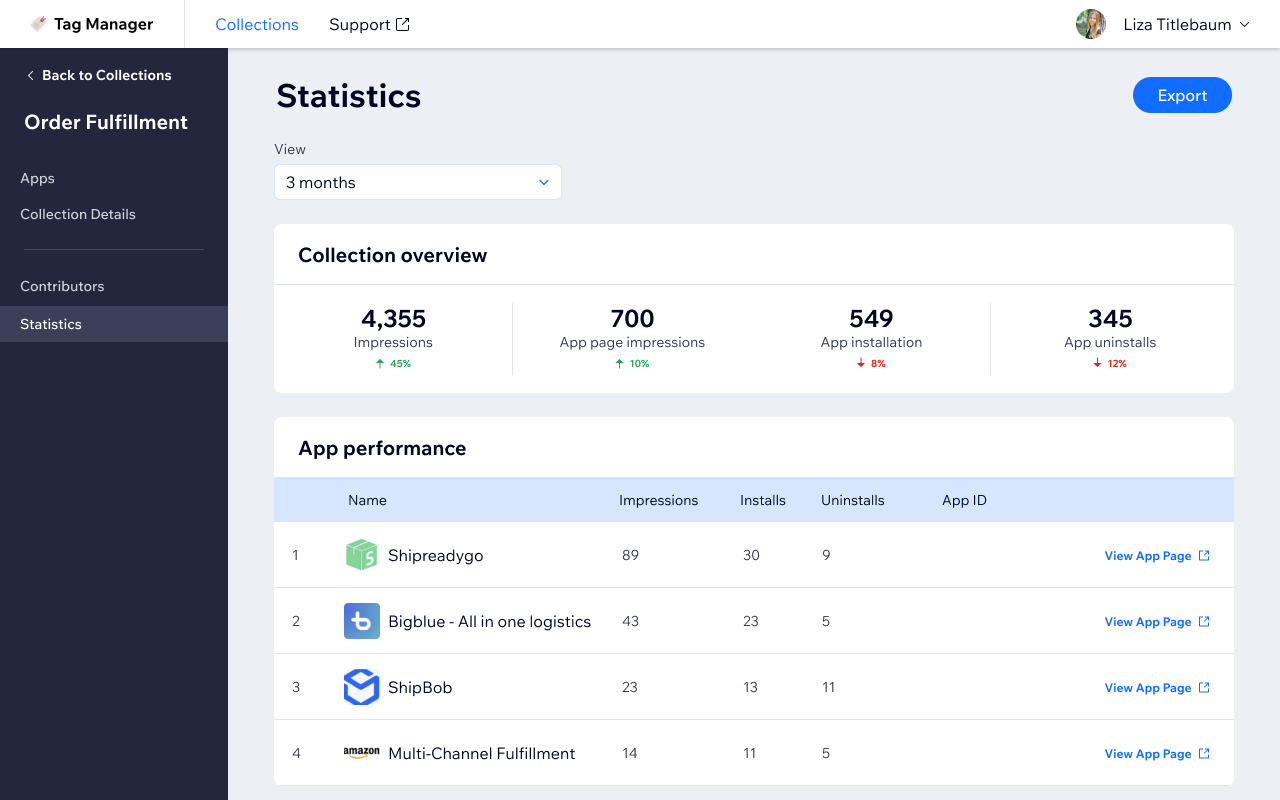
Statistics tab concept — collection performance overview with impressions, installs, and per-app breakdowns

Bottom line

Designing internal tools has a specific kind of satisfaction: you have real users with real complaints, a clear before state, and a concrete problem to solve.

The interesting constraint here was supporting two completely different generation modes, manual and automatic, within the same information architecture without making either feel like a second-class citizen.

More work